WordPress plugin

Weberslink Cookie Consent — tracking only after a yes.

A clear, accessible cookie banner that really holds back your analytics and marketing tags, and keeps proof of every choice.

Download ZIP Version 1.0.0 · 20 KB · WordPress 5.9+ · PHP 7.4+ · GPL-2.0-or-later

What's inside

  • A banner people can use: Accept all and Reject all with the same size and prominence, a Customise dialog with a switch per category, and your colours and wording. Bar, corner box or centred dialog, and a small button to reopen it.
  • Scripts really wait: Paste Google Analytics, Meta Pixel, TikTok or any tag into its category: it is held back and released only after consent. Iframes (YouTube, Maps) and tracking images stay blank until the visitor agrees.
  • Google Consent Mode v2: Everything starts denied and is updated with the visitor's choice, so Google tags (GA4, Ads, Tag Manager) behave correctly. A data layer event and a browser event are fired for your own code.
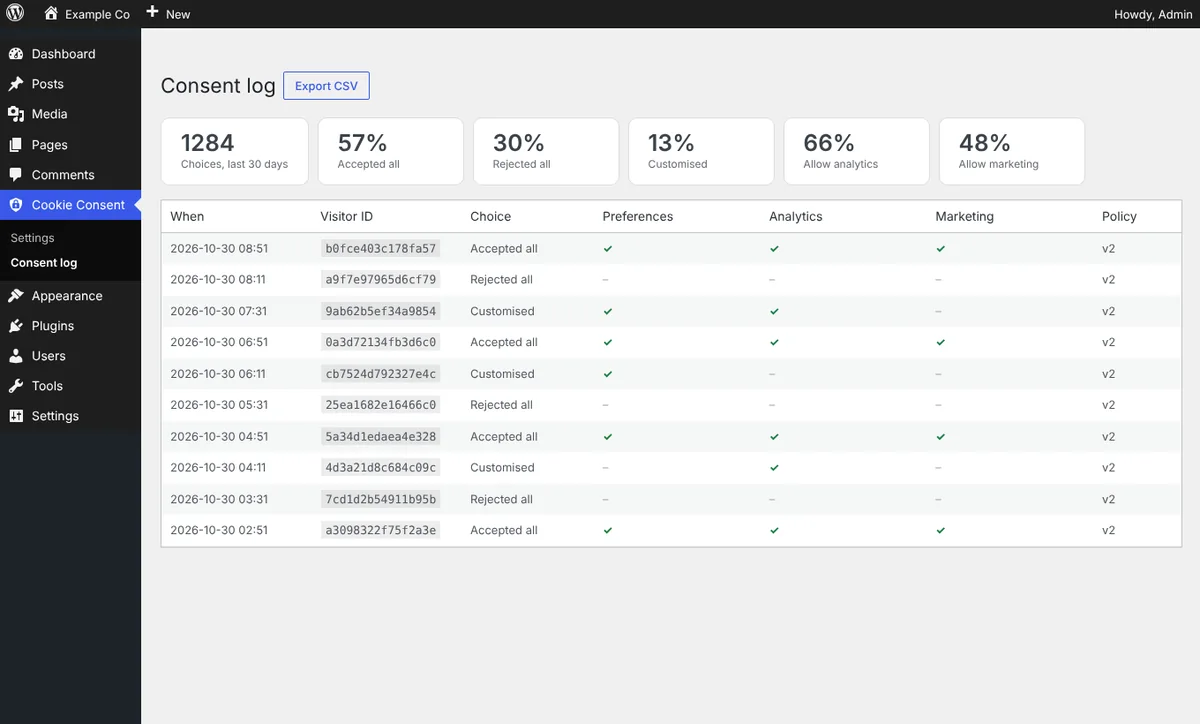
  • Proof of consent: A log of each choice (action, categories, policy version) with a one-way fingerprint instead of an IP address, acceptance statistics, and CSV export. Ask everyone again with one tick when your policy changes.
  • Policy helpers: A [wlcc_cookies] shortcode prints a table of the cookies you use, and [wlcc_settings] adds a “Cookie settings” link anywhere.
  • Accessible and light: Focus is trapped in the dialog, Escape closes it, focus rings are visible, buttons are at least 44px tall, and the script is small and dependency free.

See how it works, screen by screen

Pick a step, or let it play. Click a screen to open it full size.
yoursite.com
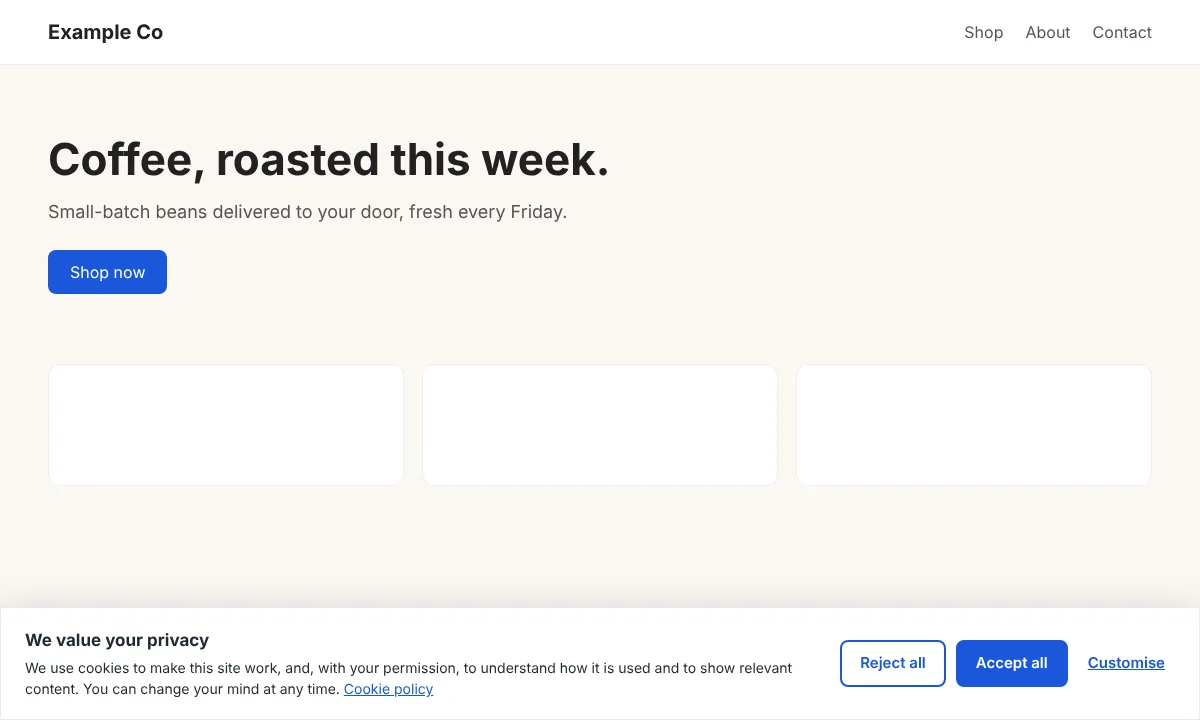
A clear first choice
Step 1 · ShowA clear first choiceReject all and Accept all look alike, so declining is as easy as accepting. Nothing is tracked until a choice is made.
yoursite.com
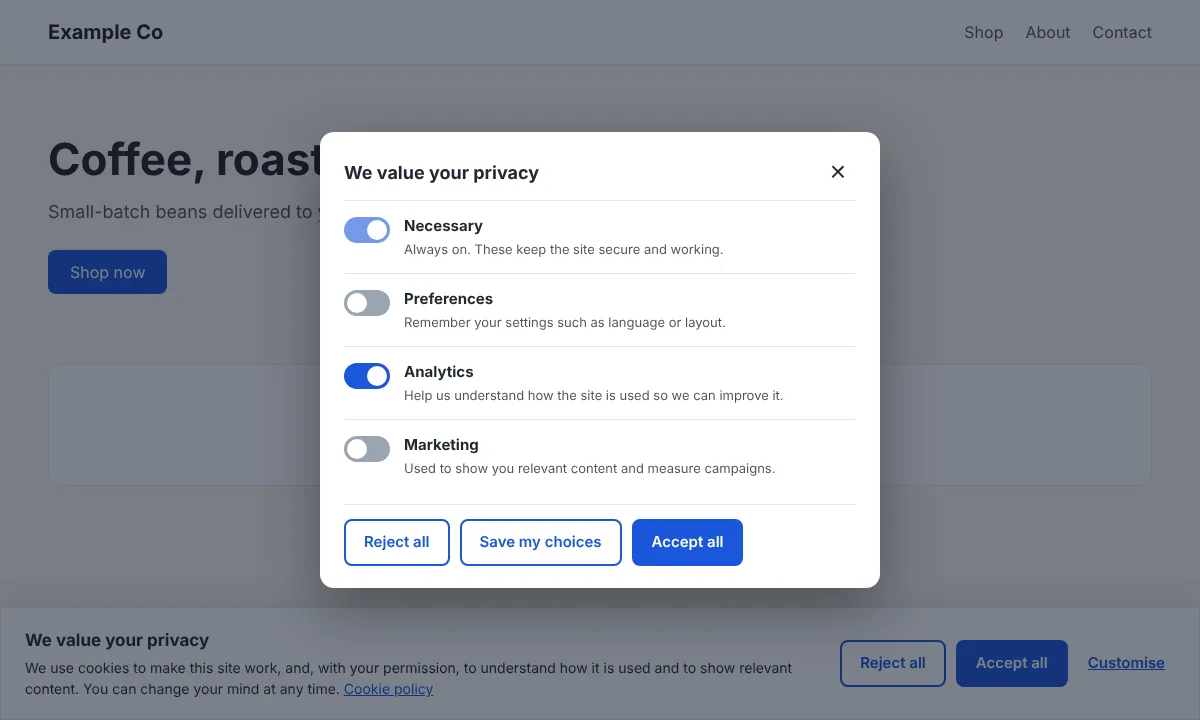
Let visitors choose
Step 2 · ShowLet visitors chooseA switch per category, with Necessary always on. Choices are remembered and can be changed at any time from the reopen button.
yoursite.com
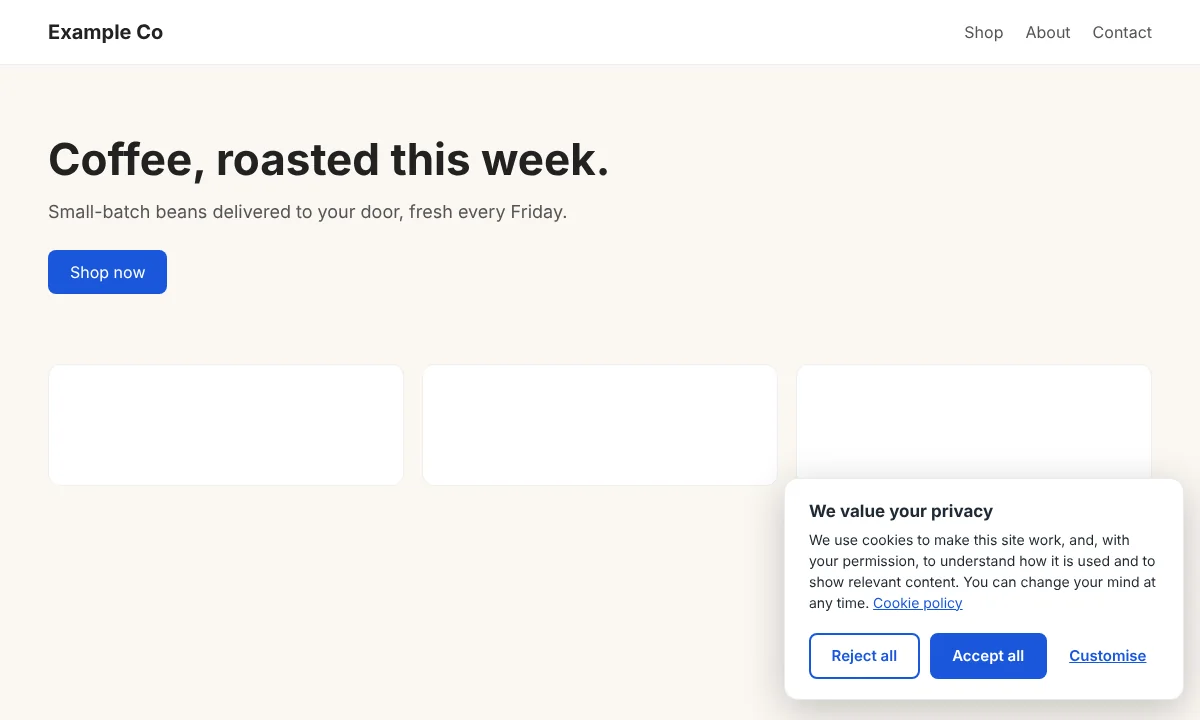
Fit your design
Step 3 · ShowFit your designChoose a bottom bar, a corner box or a centred dialog, and set your own colours, wording and policy link.
yoursite.com (mobile)
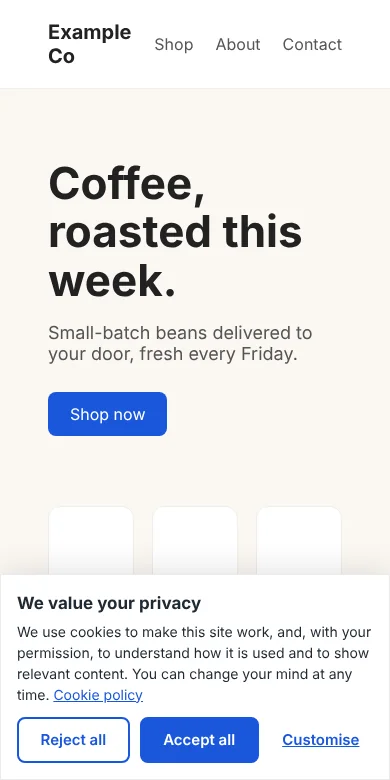
Made for phones too
Step 4 · ShowMade for phones tooFull-width buttons, nothing cut off, and a dialog that always fits the screen.
yoursite.com/wp-admin · Cookie Consent
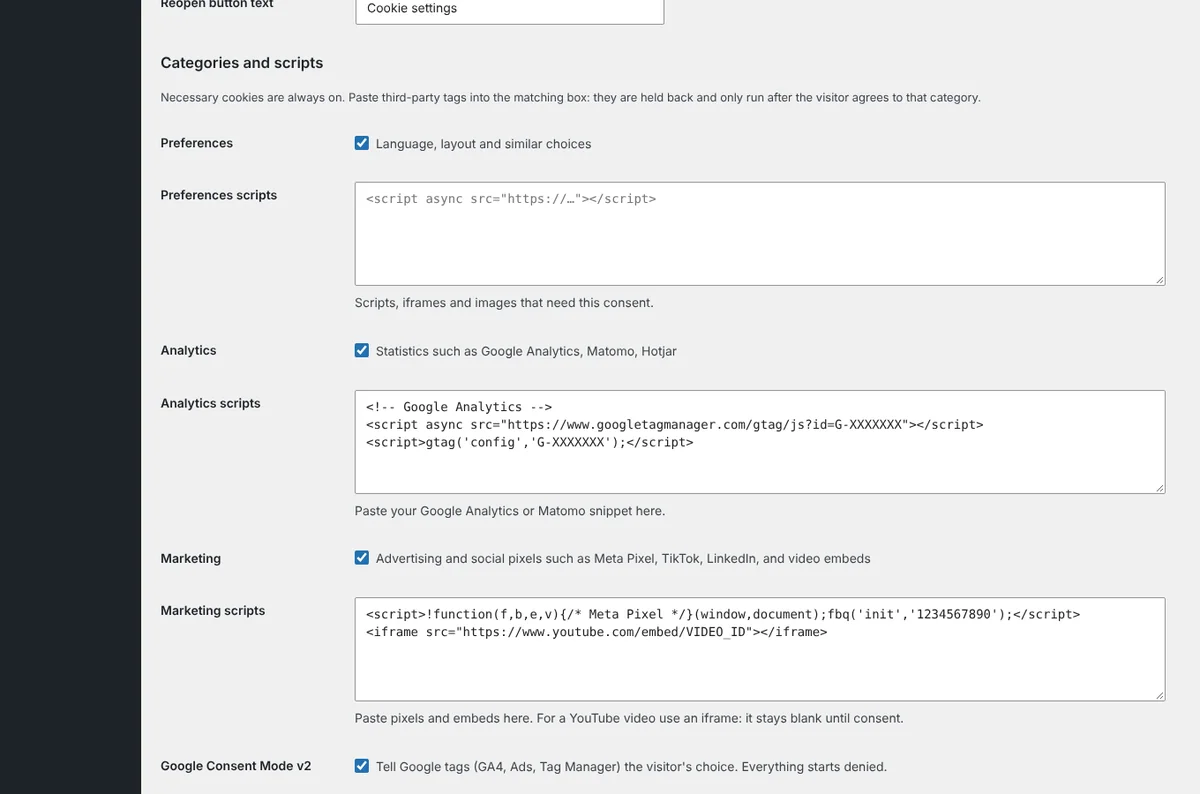
Hold back your tags
Step 5 · ControlHold back your tagsPaste analytics, pixels and embeds into the matching category and turn on Google Consent Mode. They run only after consent.
yoursite.com/wp-admin · Consent log
Keep proof of every choice
Step 6 · ProveKeep proof of every choiceAcceptance rates for the last 30 days and a record of each choice with the policy version. Export it as CSV whenever you need it.

Install in 3 steps

  1. Download the ZIP above.
  2. In WordPress go to Plugins → Add New → Upload Plugin, choose the ZIP, install and activate.
  3. Open Cookie Consent, pick your categories and paste your analytics or marketing tags into the matching boxes (and remove them from your theme).

Download ZIP

Changelog

Version 1.0.0

  • Initial release: banner, categories, held-back scripts and embeds, Google Consent Mode v2, consent log with CSV export, cookie table and settings shortcodes.

Need this set up properly, or want something built for your site? Book a free call and we'll help.

FAQ

Common questions.

Is Weberslink Cookie Consent free?

Yes. It is a free download under the GPL and works on as many of your own WordPress sites as you like.

Does it make my site GDPR compliant?

It handles the consent part of cookie rules: a clear choice, scripts held back until agreement, and a record. You are still responsible for what your site sets, for a clear cookie policy and for the rest of the law. This is not legal advice.

Why do I need to move my tracking tags into the plugin?

A tag already in your theme or another plugin loads before the banner can stop it. Paste it into the matching box and the plugin releases it only after consent. Google tags that load themselves are controlled through Consent Mode.

Does it work with Google Tag Manager and GA4?

Yes. Consent Mode v2 starts everything denied and updates it with the visitor's choice. You can also put the GTM snippet in the Analytics or Marketing box.

Does it store visitors' IP addresses?

No. The consent log keeps the choice, the policy version and a one-way fingerprint used only to limit abuse, never the IP address itself.

Which WordPress and PHP versions does it need?

WordPress 5.9 or newer and PHP 7.4 or newer.

Next step

Ready to see what we'd build for you?

Book a free 20-minute walkthrough. We'll look at where your business loses time or leads, and what we'd build — no obligation.