
Download ZIP Version 1.0.0 · 17 KB · WordPress 5.9+ · PHP 7.4+ · GPL-2.0-or-later
What's inside
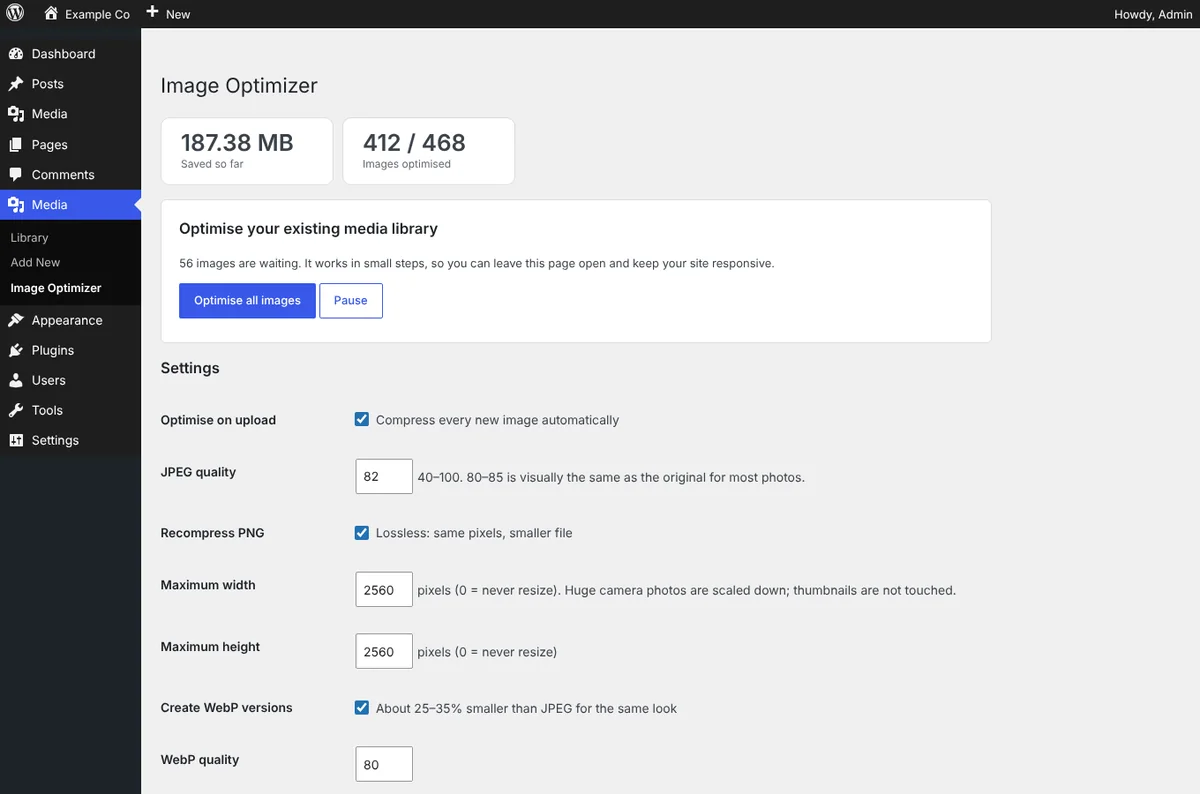
- Smaller files, same look: Compresses JPEG, PNG and WebP uploads and every generated thumbnail at the quality you choose. It never makes a file bigger, skips files already at your quality so repeat runs cannot degrade them, and keeps PNG transparency.
- Scales huge photos: Camera originals of 4000 pixels and more are scaled down to the maximum you set. Generated thumbnails keep their sizes, and WordPress's own unscaled copy is compressed too.
- Upright and private: Phone photos are turned upright and camera metadata such as GPS location is removed, so a picture can no longer reveal where it was taken.
- WebP without server rules: Creates a WebP twin of each image and wraps images in a picture tag, so every browser picks the best format. It needs no .htaccess changes and is safe with page caches and CDNs.
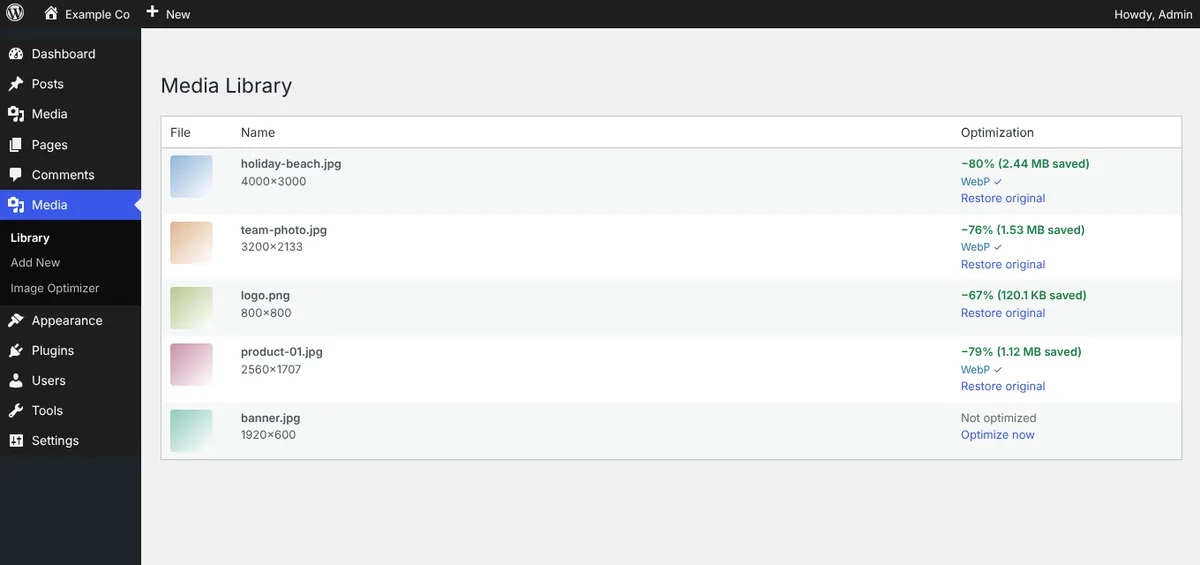
- Your whole library: Optimise existing media in small steps with a progress bar, so it works on slow hosts too. See the savings per image in the media library, and optimise or restore any single image.
- Safe and private: Originals can be kept for one-click restore. Everything runs on your server with PHP's GD library: no account, no API key and no image ever leaves your site.
See how it works, screen by screen
Pick a step, or let it play. Click a screen to open it full size.
Install in 3 steps
- Download the ZIP above.
- In WordPress go to Plugins → Add New → Upload Plugin, choose the ZIP, install and activate.
- Open Media → Image Optimizer, check the settings and click Optimise all images.
Changelog
Version 1.0.0
- Initial release: compression and resizing, orientation fix, metadata removal, WebP versions served through picture tags, bulk optimiser, restore, media library column.
Need this set up properly, or want something built for your site? Book a free call and we'll help.