WordPress plugin

Weberslink Popups & Lead Capture — turn visitors into subscribers.

Show the right message at the right moment, collect emails safely, and see which popups actually work.

Download ZIP Version 1.0.0 · 23 KB · WordPress 5.9+ · PHP 7.4+ · GPL-2.0-or-later

What's inside

  • Three formats: A centred popup, a corner slide-in and an announcement bar at the top or bottom, with your headline, text, colours and button. Collect an email (with optional name and consent checkbox) or show a call-to-action button.
  • Triggers that respect visitors: Show after a delay, after scrolling a percentage, on exit intent (desktop), when a button is clicked, or straight away. Once per visit, once every N days or every time; people who subscribe are not asked again.
  • Precise targeting: Everywhere, the home page only, or a list of pages with wildcards. Never on checkout or thank-you pages. Desktop or mobile only, logged-out visitors only, and start and end dates for sales.
  • Leads you can use: Search the leads list, export CSV (spreadsheet formulas neutralised), or send each new lead as signed JSON to Zapier, Make, n8n or your CRM. Optional email notification, capped so bots cannot flood your inbox.
  • Spam protection: A hidden honeypot field, per-visitor rate limits, duplicate emails ignored and an optional consent checkbox keep your list clean.
  • Measured and accessible: Views, sign-ups and conversion rate for the last 30 days. Dialogs trap focus, close with Escape, return focus afterwards and have large touch targets.

See how it works, screen by screen

Pick a step, or let it play. Click a screen to open it full size.
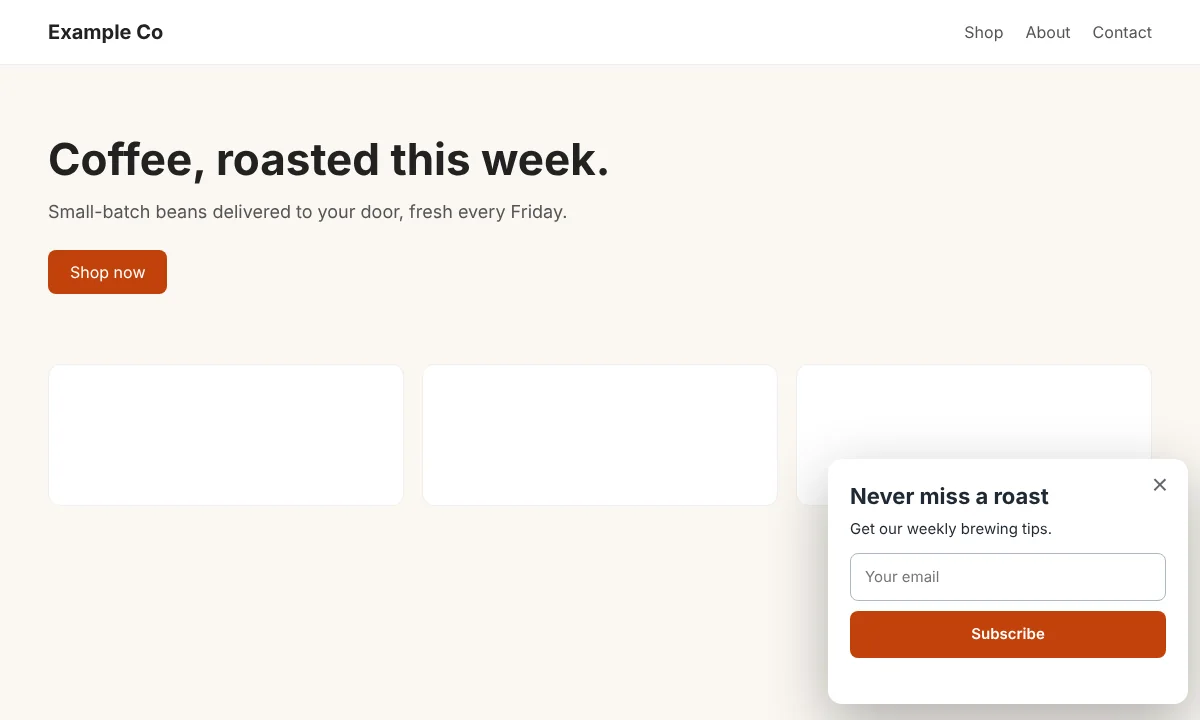
yoursite.com
A message with a purpose
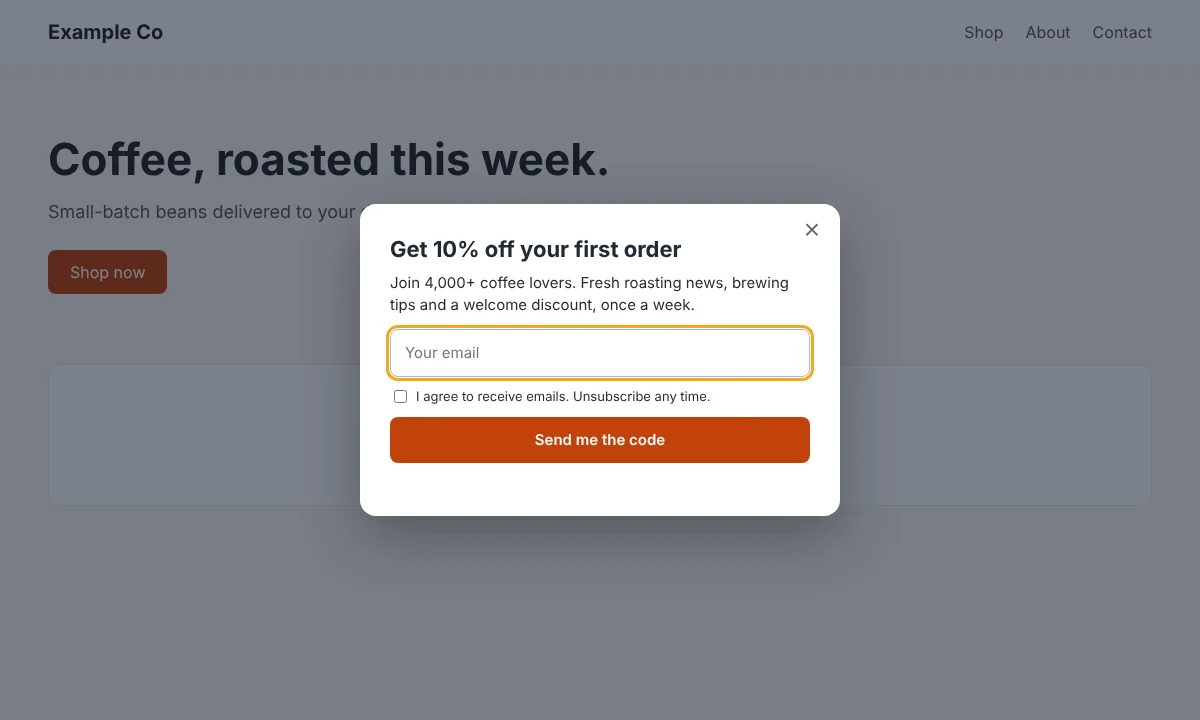
Step 1 · DesignA message with a purposeA centred popup with a headline, a short pitch, an email field and an optional consent checkbox.
yoursite.com
Less intrusive
Step 2 · DesignLess intrusiveA slide-in that appears in the corner while the page stays scrollable. A good fit for mobile and for returning readers.
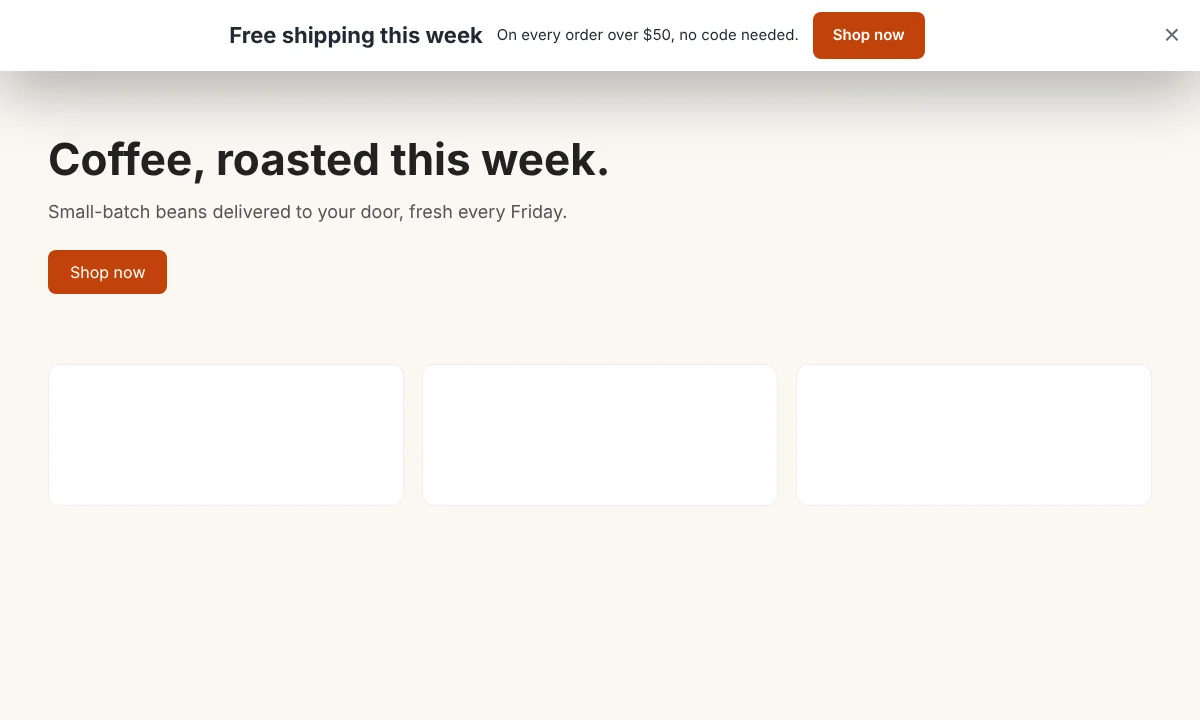
yoursite.com
Tell everyone, quietly
Step 3 · DesignTell everyone, quietlyA bar across the top or bottom for shipping offers, sales and news, with a button to the page you want.
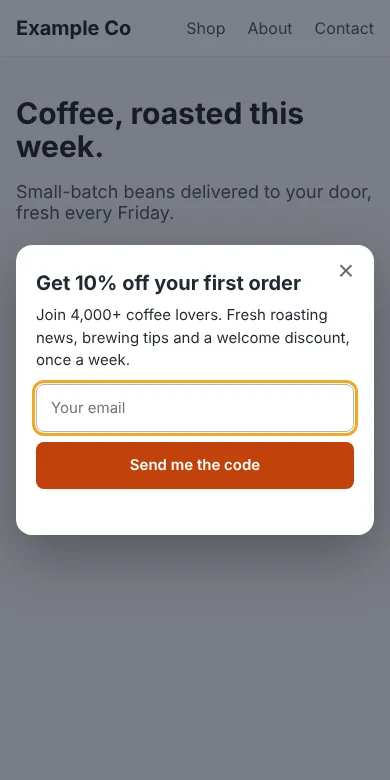
yoursite.com (mobile)
Built for phones
Step 4 · DesignBuilt for phonesFull-width fields, large touch targets and a dialog that always fits the screen.
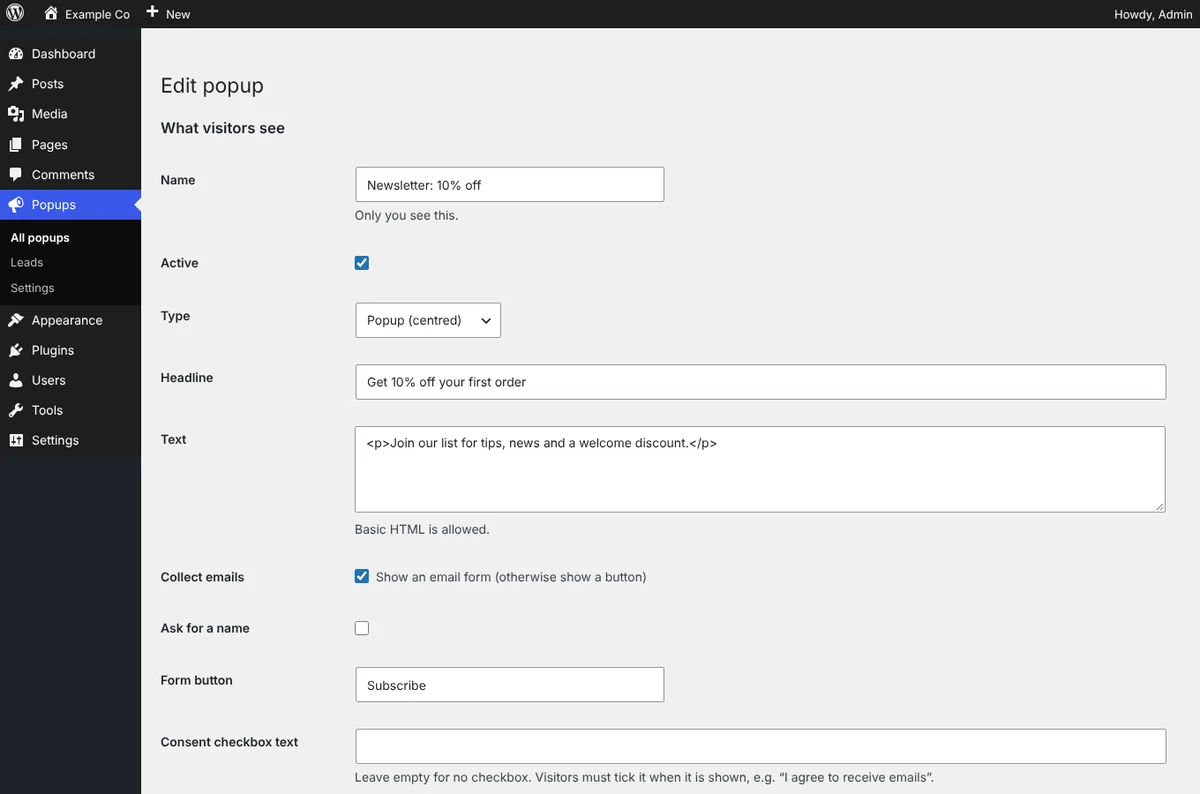
yoursite.com/wp-admin · Popups
Write it in a minute
Step 5 · TargetWrite it in a minuteHeadline, text, form options, button, colours and thank-you message, with a one-click preview on your real site.
yoursite.com/wp-admin · Popups
Right place, right time
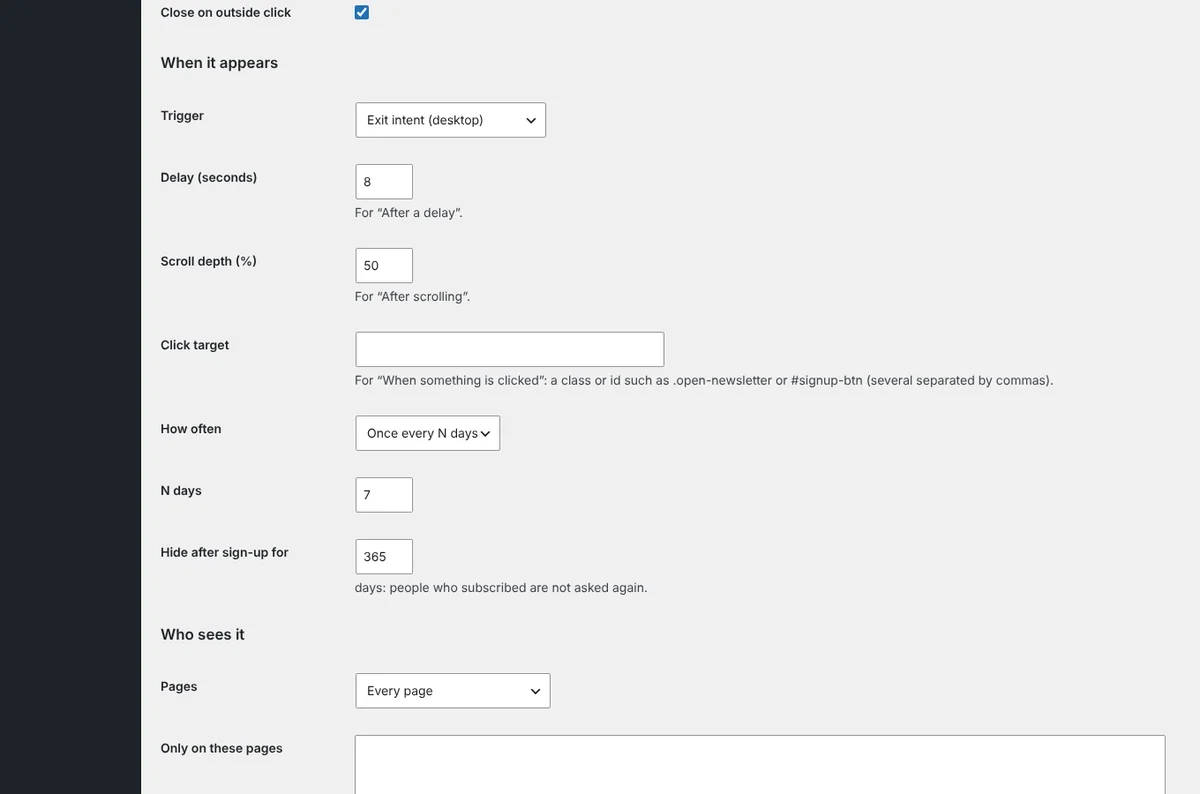
Step 6 · TargetRight place, right timeTriggers, frequency and who sees it: pages, devices, logged-out visitors and a date range.
yoursite.com/wp-admin · Popups
See what works
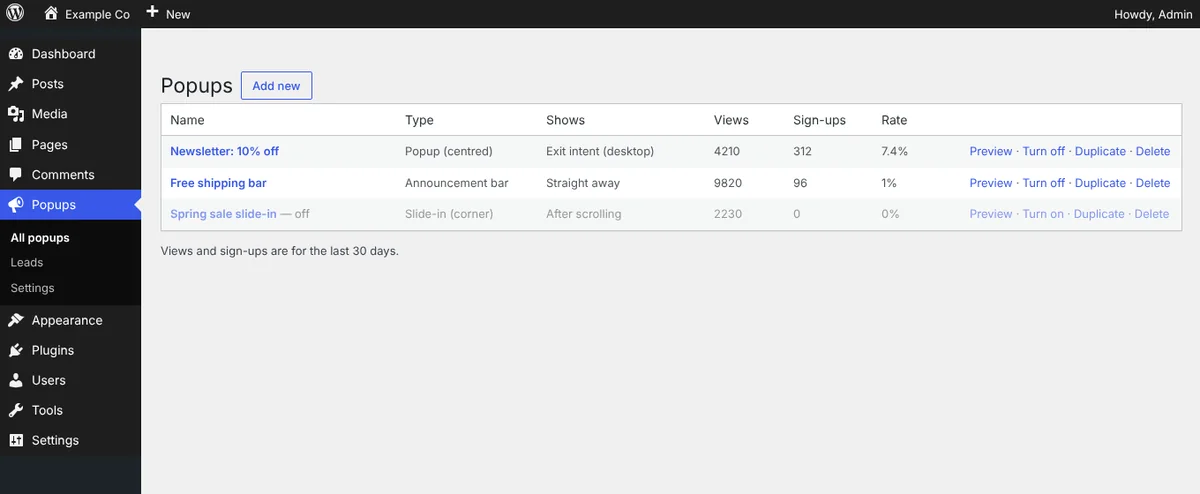
Step 7 · CollectSee what worksViews, sign-ups and conversion rate for each popup, with preview, on/off, duplicate and delete in one row.
yoursite.com/wp-admin · Leads
Your list, your data
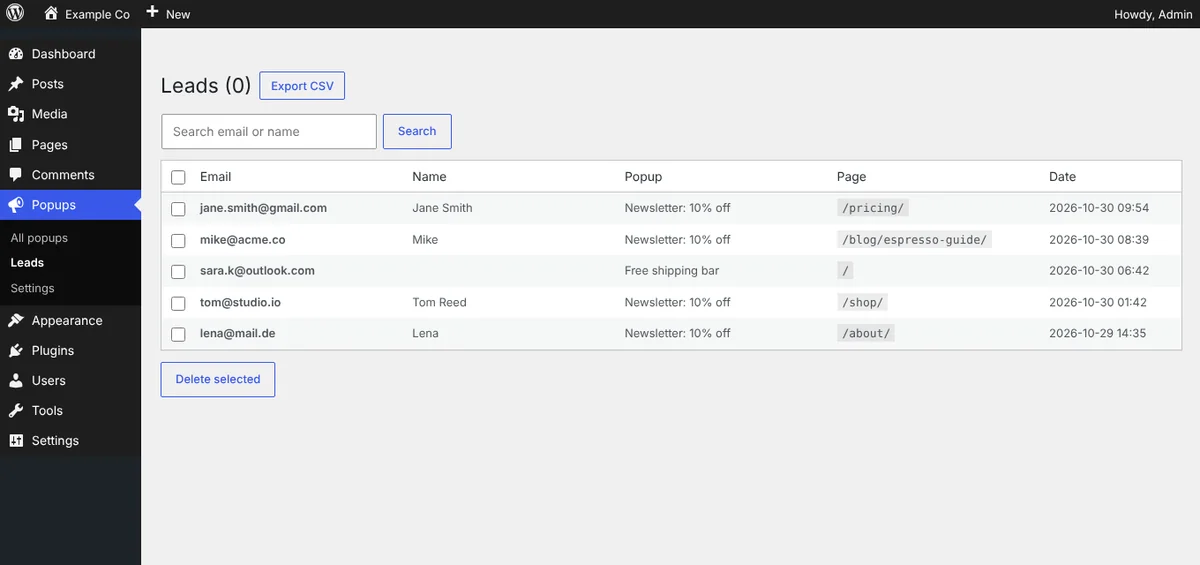
Step 8 · CollectYour list, your dataSearch, delete and export every lead as CSV, and send new leads to your tools with a webhook.

Install in 3 steps

  1. Download the ZIP above.
  2. In WordPress go to Plugins → Add New → Upload Plugin, choose the ZIP, install and activate.
  3. Open Popups → Add new, write your message, choose when and where it shows, save, then click Preview.

Download ZIP

Changelog

Version 1.0.0

  • Initial release: popups, slide-ins and bars, triggers, targeting, frequency, lead capture with spam protection, leads list and CSV export, webhook, statistics.

Need this set up properly, or want something built for your site? Book a free call and we'll help.

FAQ

Common questions.

Is Weberslink Popups & Lead Capture free?

Yes. It is a free download under the GPL and works on as many of your own WordPress sites as you like.

Can it send leads to Mailchimp, Klaviyo or my CRM?

Use the webhook with Zapier, Make or n8n, or post straight to an endpoint that accepts JSON. A signature header lets you verify each request came from your site. You can also export a CSV at any time.

Will popups hurt my SEO?

Large popups that cover the page right after arrival on mobile can. Use a delay, a slide-in or a bar, and limit full-screen popups on phones.

Is it GDPR friendly?

You can require a consent checkbox with your own wording, and the leads list lets you delete any lead. Visitors' IP addresses are not stored, only a one-way fingerprint used for rate limiting. This is not legal advice.

Does it work with caching plugins?

Yes. Page targeting is decided on the server for each URL, while triggers, devices and frequency run in the browser.

Which WordPress and PHP versions does it need?

WordPress 5.9 or newer and PHP 7.4 or newer.

Next step

Ready to see what we'd build for you?

Book a free 20-minute walkthrough. We'll look at where your business loses time or leads, and what we'd build — no obligation.