WordPress plugin

Weberslink SEO Toolkit — rank with confidence, not guesswork.

Write better titles and descriptions, see exactly how your page looks in Google, and get a clear checklist for every post.

Download ZIP Version 1.0.0 · 21 KB · WordPress 5.9+ · PHP 7.4+ · GPL-2.0-or-later

What's inside

  • Live analysis in the editor: Set a focus keyword and get a checklist as you type: title and description length, keyword in the title, description, URL, introduction and subheadings, keyword density, content length, image alt text, internal and outbound links.
  • Readability: Flesch reading ease, long sentences, paragraph length and subheadings, with plain-English advice. Both scores update while you write, using the same analyser everywhere.
  • Google preview: See your title, address and description exactly as a search result, with a live character count that turns red when Google would cut it off.
  • Templates for the whole site: Set one pattern such as %title% - %sitename% for posts, pages, categories, authors, search and 404, and override any page by hand. Variables for excerpt, category, author, date and page number.
  • Social cards and schema: Open Graph and Twitter cards with a default image, and a clean JSON-LD graph: WebSite with search, Organization or Person, WebPage, Article and breadcrumbs. The output cannot break out of the page.
  • Robots, sitemap and audit: Noindex or nofollow per page, hide search, date and author archives, keep noindex pages out of the WordPress sitemap, add the sitemap and your own rules to robots.txt, verify with Google, Bing, Yandex and Pinterest, and see which pages still lack a description.

See how it works, screen by screen

Pick a step, or let it play. Click a screen to open it full size.
yoursite.com/wp-admin · Edit post
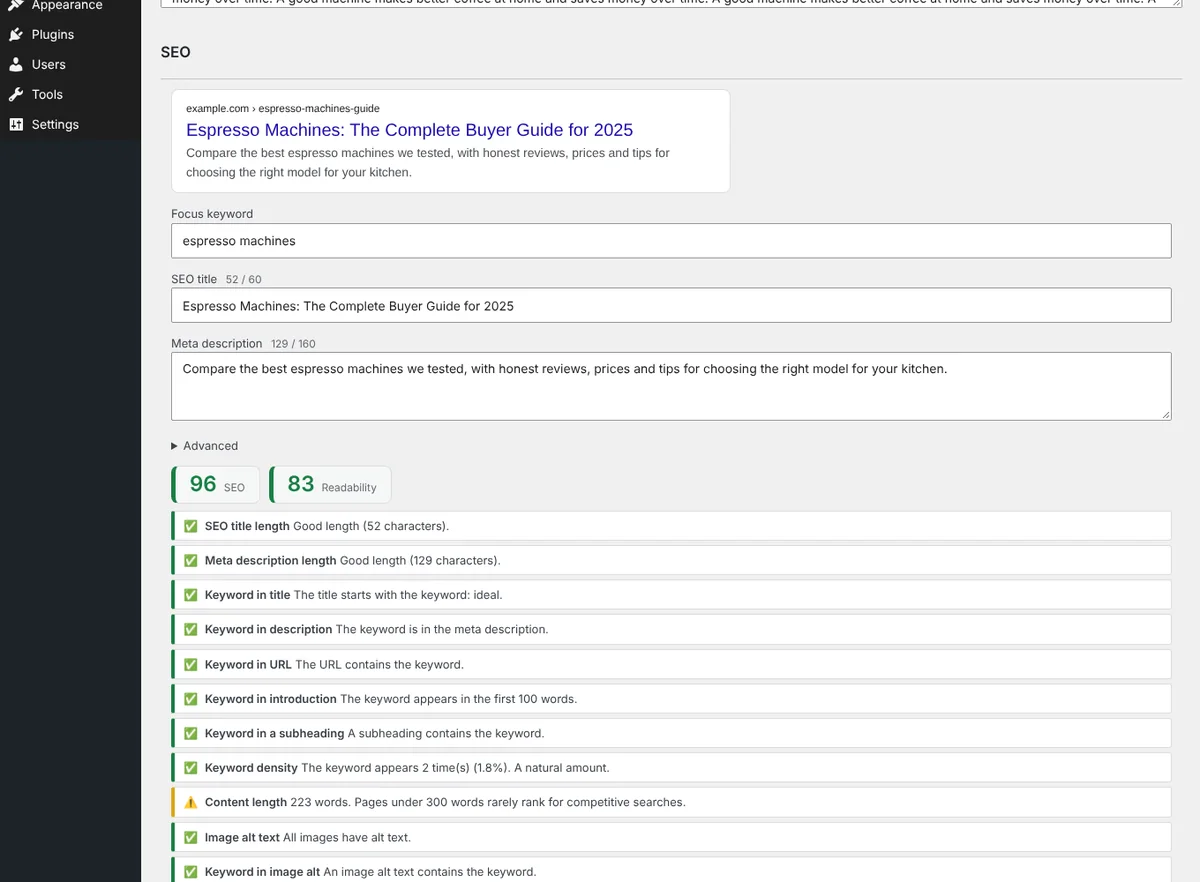
Optimise as you write
Step 1 · WriteOptimise as you writeFocus keyword, SEO title and meta description with a live Google preview, character counts and an SEO and readability score with a checklist.
yoursite.com/wp-admin · SEO settings
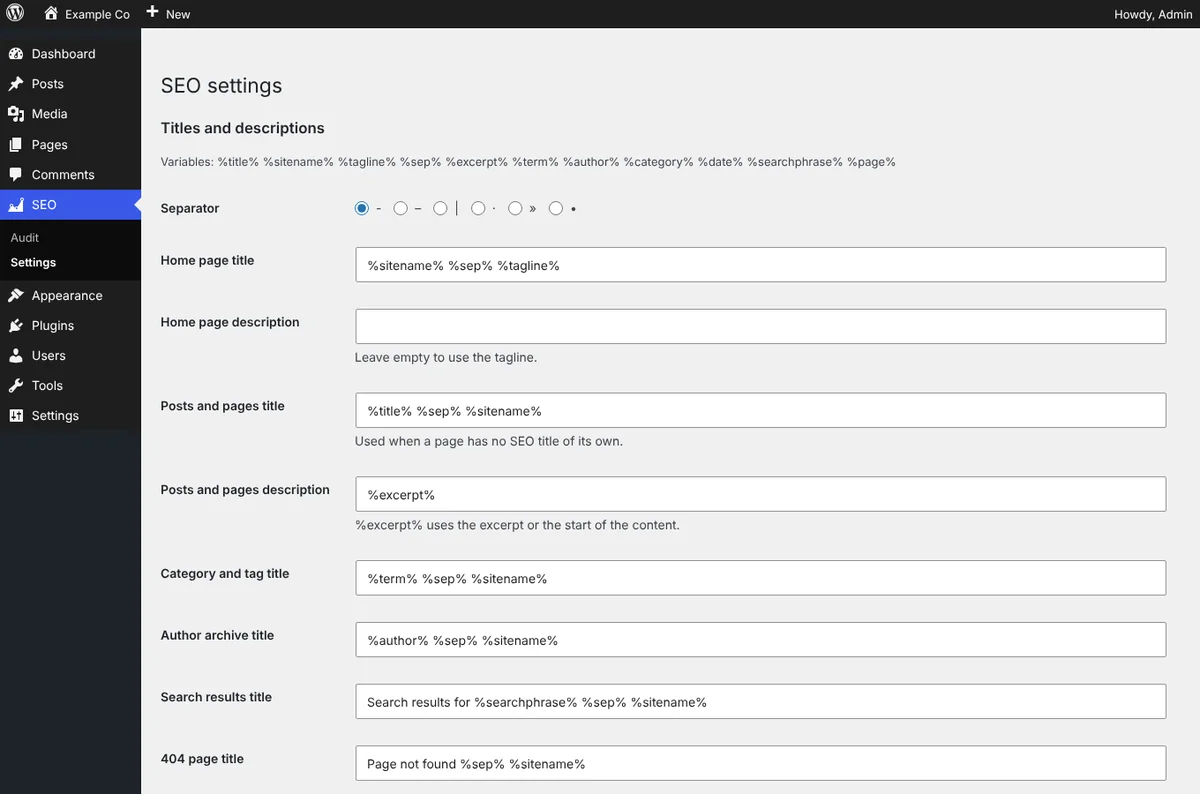
Set the pattern once
Step 2 · ConfigureSet the pattern onceTitle and description templates for every kind of page, with a separator of your choice. Override any single page in its own SEO box.
yoursite.com/wp-admin · SEO settings
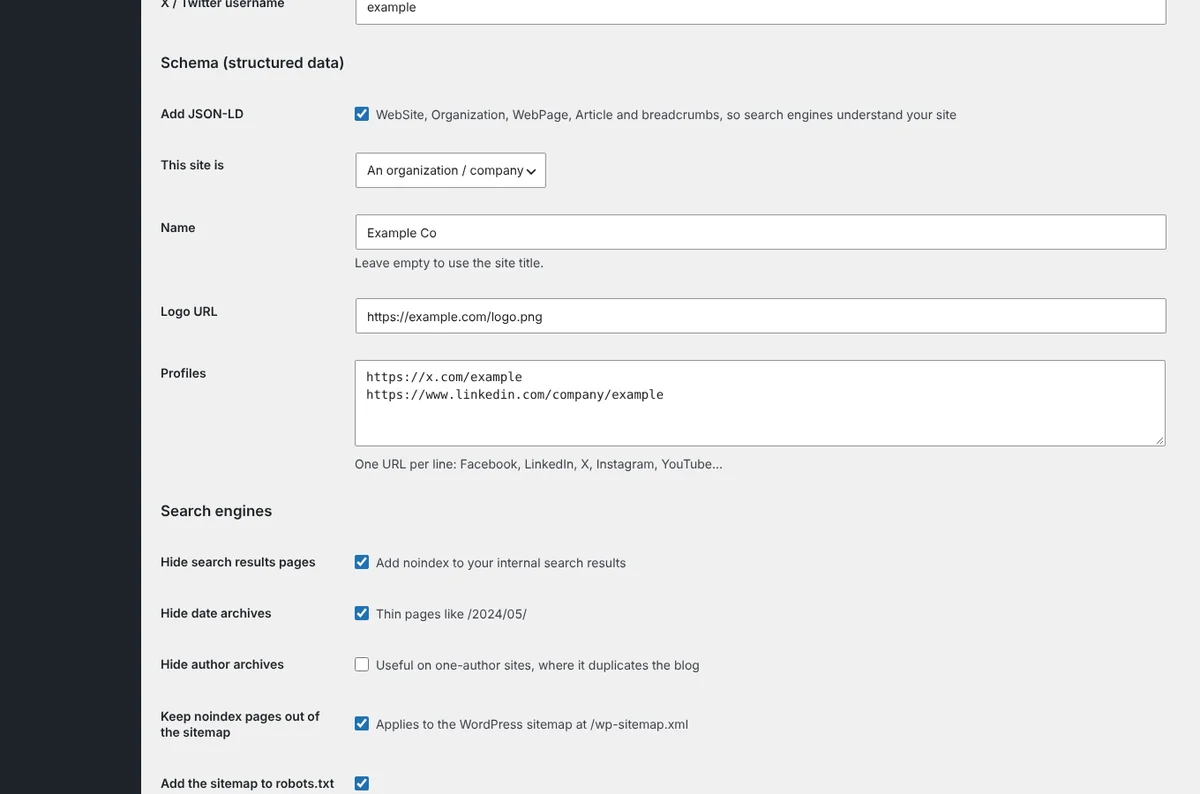
Be ready to share and be understood
Step 3 · ConfigureBe ready to share and be understoodOpen Graph and Twitter cards, a default social image, and structured data for your organization or yourself, plus search engine settings.
yoursite.com/wp-admin · SEO audit
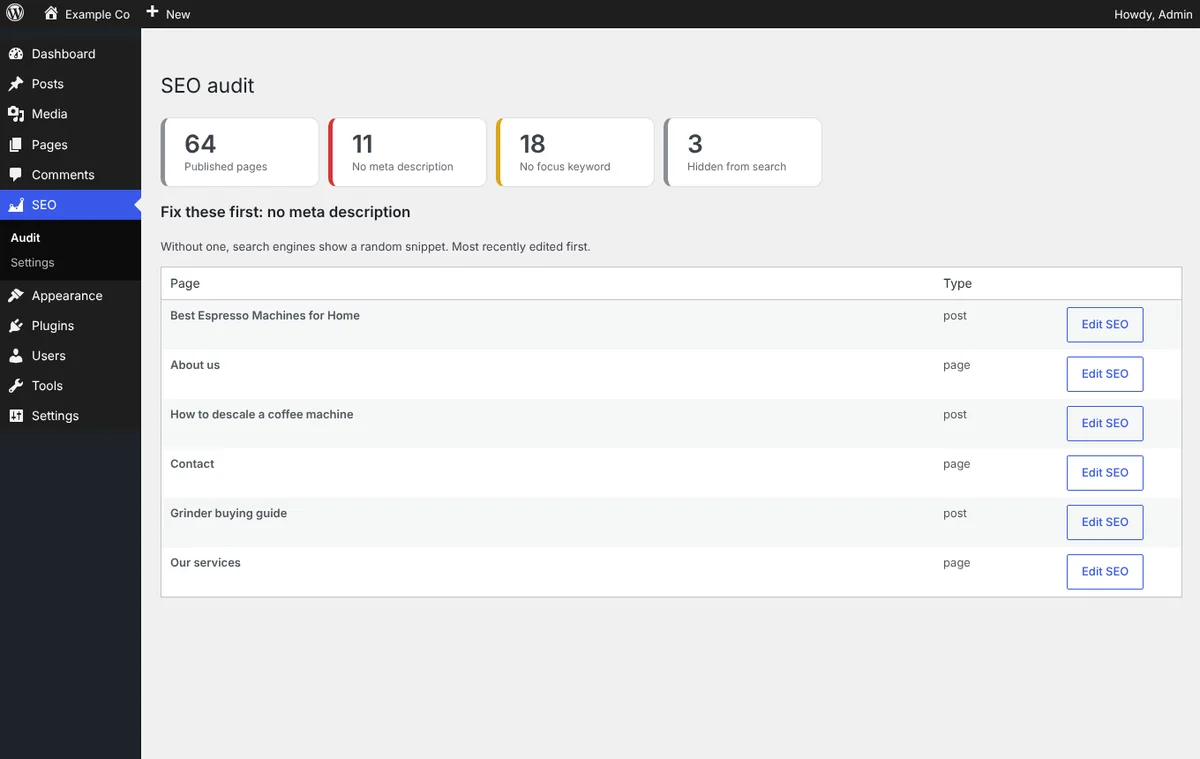
See what still needs work
Step 4 · AuditSee what still needs workHow many pages have no meta description or focus keyword, and a list of the pages to fix first, each one click from its SEO box.

Install in 3 steps

  1. Download the ZIP above.
  2. In WordPress go to Plugins → Add New → Upload Plugin, choose the ZIP, install and activate.
  3. Open SEO → Settings to set your title templates and organization, then edit any post and fill in the new SEO box.

Download ZIP

Changelog

Version 1.0.0

  • Initial release: live SEO and readability analysis, Google preview, templates, Open Graph and Twitter cards, JSON-LD schema, robots and sitemap controls, SEO audit.

Need this set up properly, or want something built for your site? Book a free call and we'll help.

FAQ

Common questions.

Is Weberslink SEO Toolkit free?

Yes. It is a free download under the GPL and works on as many of your own WordPress sites as you like.

Will it conflict with Yoast or Rank Math?

Use one SEO plugin at a time. Deactivate the other before activating this one, because both would print titles, descriptions and schema.

Does it migrate my existing titles and descriptions?

Not automatically. This version stores its own fields, so existing titles and descriptions from another plugin are not imported.

Does it guarantee rankings?

No tool can. It checks the things you control (titles, descriptions, headings, links, readability, structured data) and shows what is missing.

Does it work with page builders and custom post types?

Yes. The SEO box appears on every public post type. In page builders the analysis reads the editor content when it is available; the fields and front-end output work everywhere.

Which WordPress and PHP versions does it need?

WordPress 5.9 or newer and PHP 7.4 or newer.

Next step

Ready to see what we'd build for you?

Book a free 20-minute walkthrough. We'll look at where your business loses time or leads, and what we'd build — no obligation.