
Download ZIP Version 1.1.0 · 40 KB · WordPress 5.9+ · PHP 7.4+ · GPL-2.0-or-later
What's inside
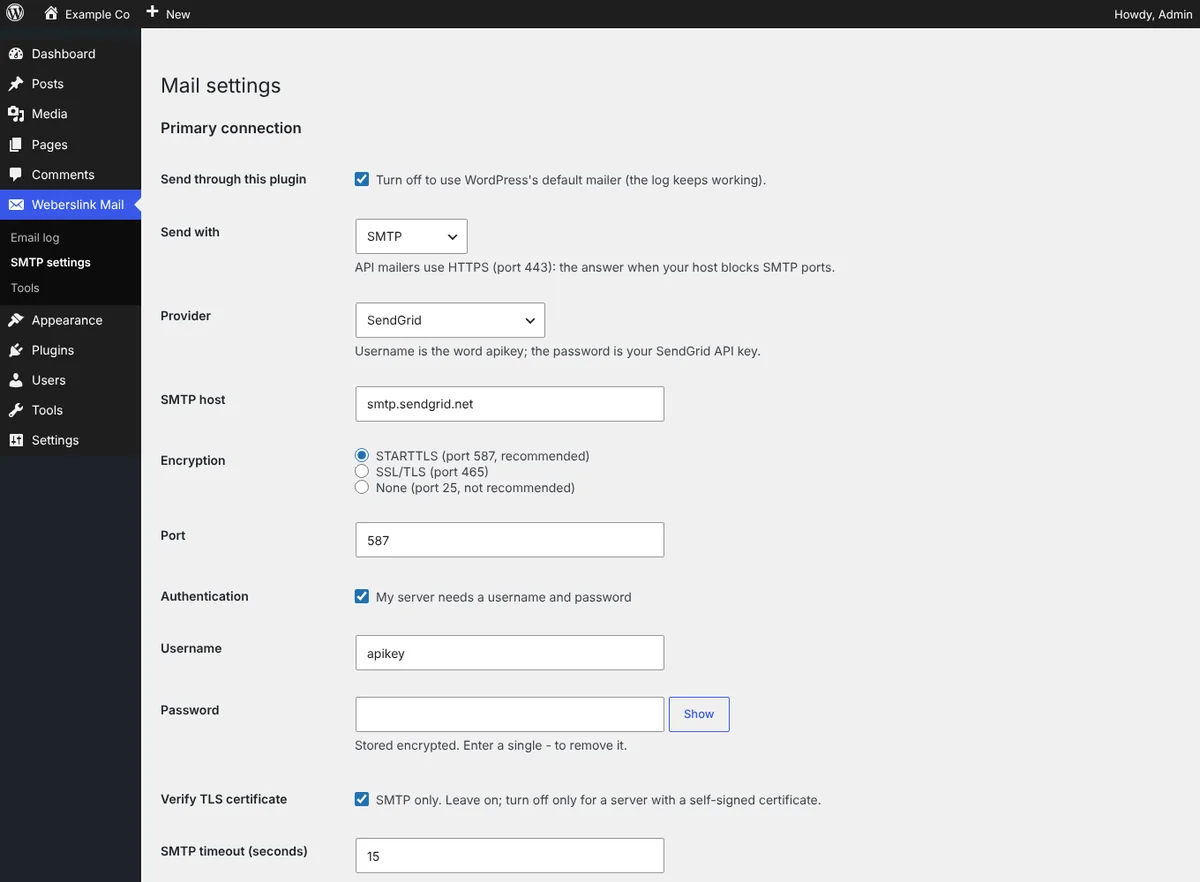
- Send through any SMTP server: one-click presets for Gmail / Google Workspace, Microsoft 365, SendGrid, Mailgun, Amazon SES, Brevo, Postmark, Zoho and Mailtrap; STARTTLS or SSL/TLS; force the From email and name; set the return path.
- API mailers for blocked ports: send over HTTPS with SendGrid, Brevo, Mailgun (US/EU) or Postmark: attachments, Cc/Bcc and Reply-To included. API keys are stored encrypted or set with a wp-config.php constant.
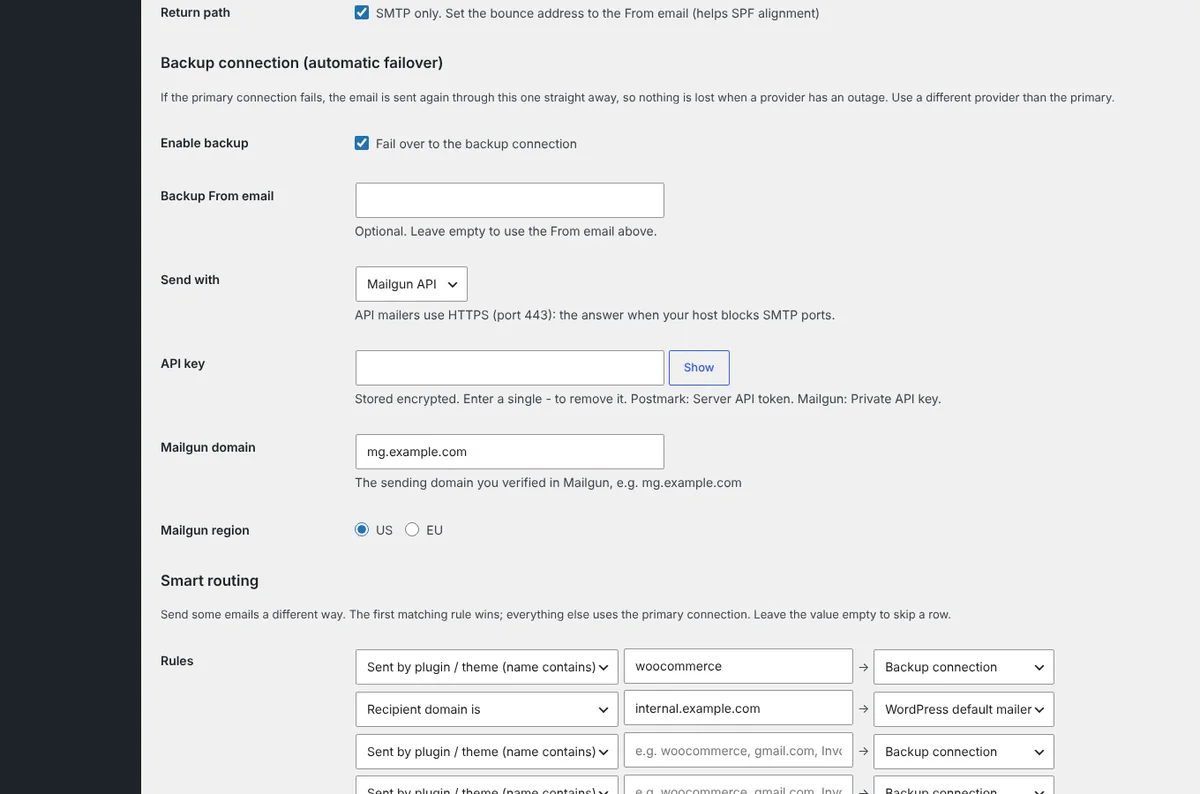
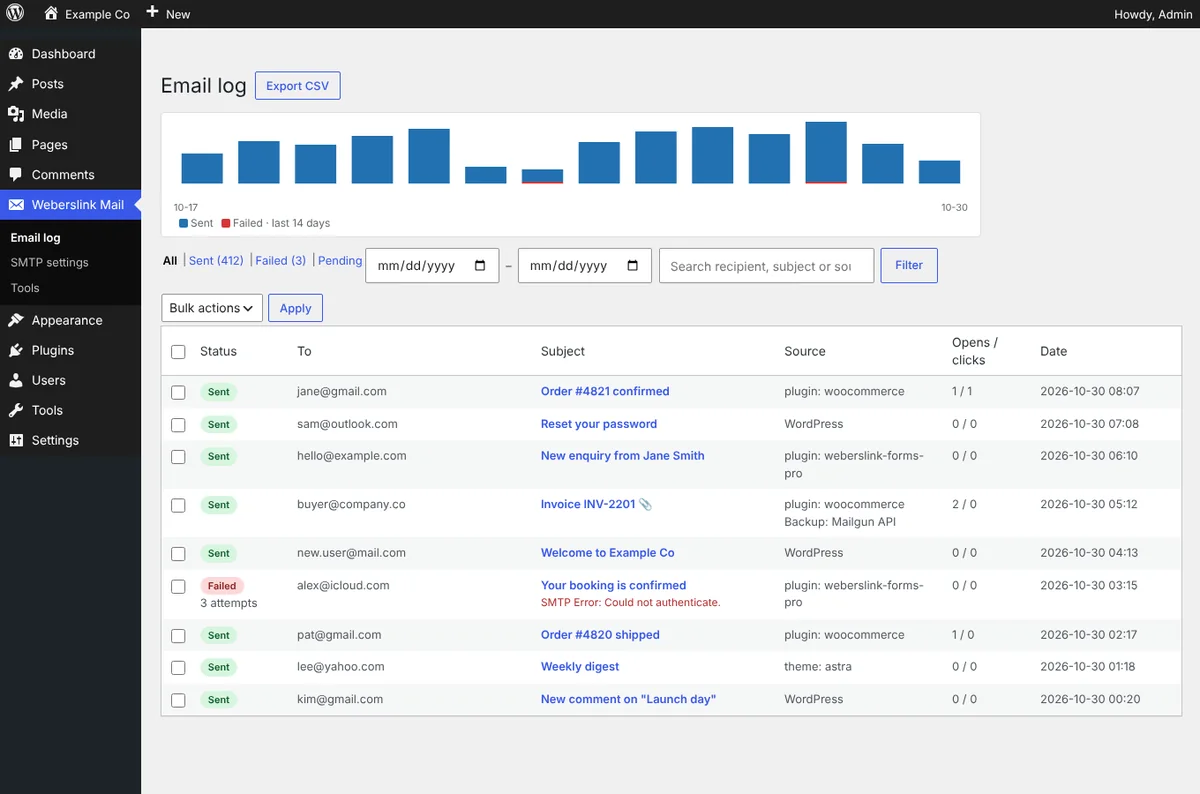
- Backup connection & failover: if the primary connection fails, the email is re-sent through your backup straight away, and the log records which one delivered it.
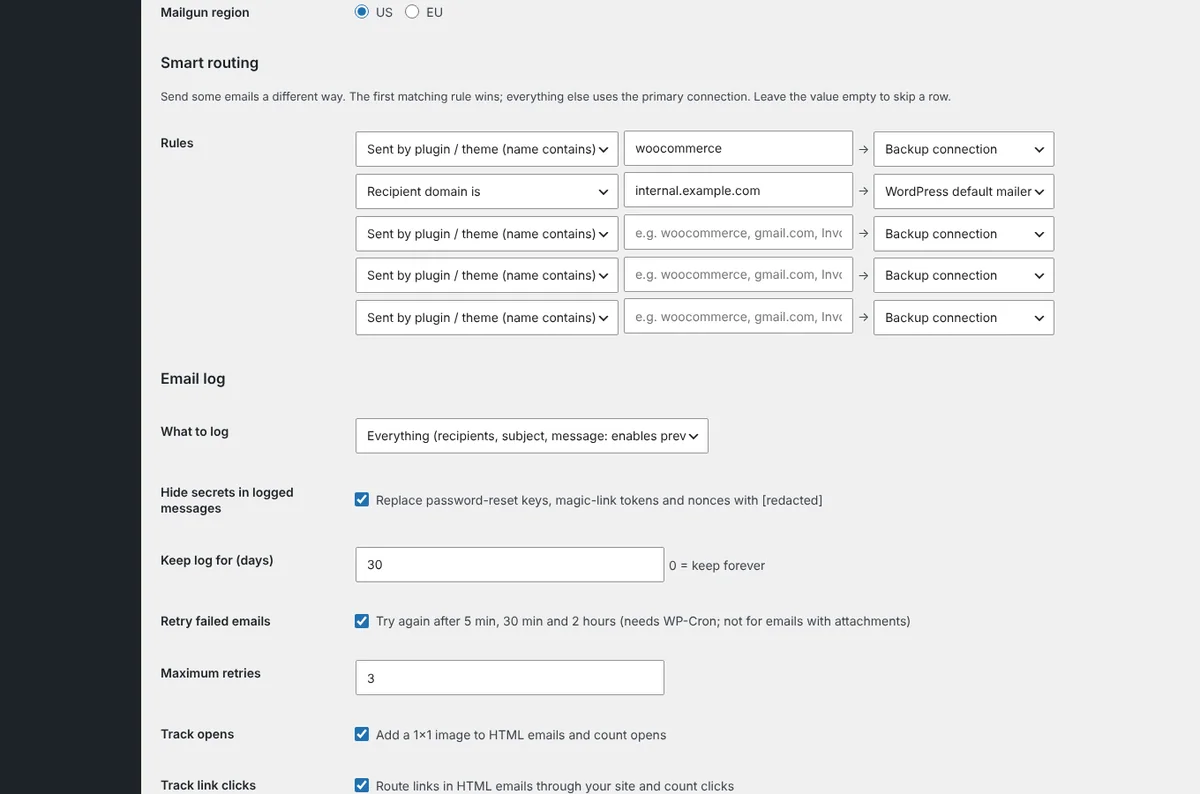
- Smart routing: send some emails another way based on the sending plugin, subject, recipient domain or From address, for example WooCommerce receipts through a transactional service.
- Open & click tracking (opt-in): signed tracking links and a 1×1 image, never added to login or reset emails, with opens and clicks shown in the log.
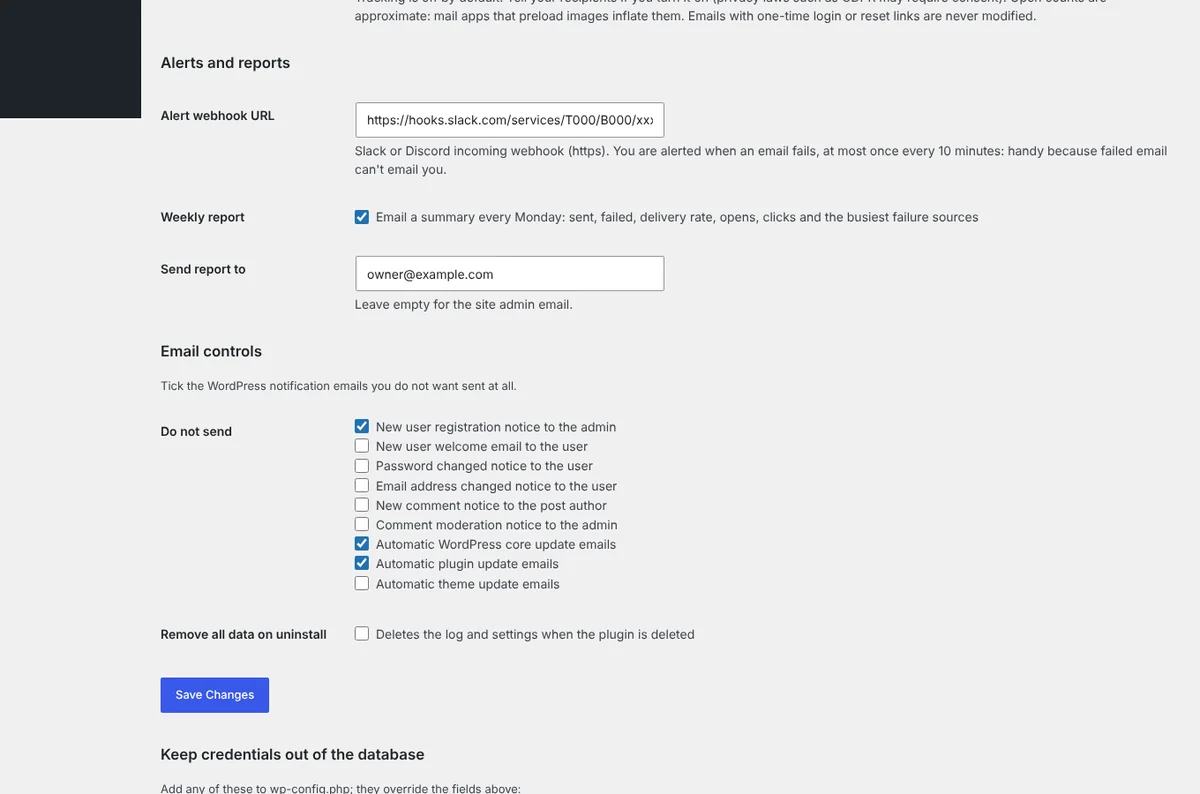
- Weekly report & email controls: a Monday summary of sent, failed, delivery rate and failure sources, a 14-day chart in the log, and switches to stop WordPress notification emails you do not want.
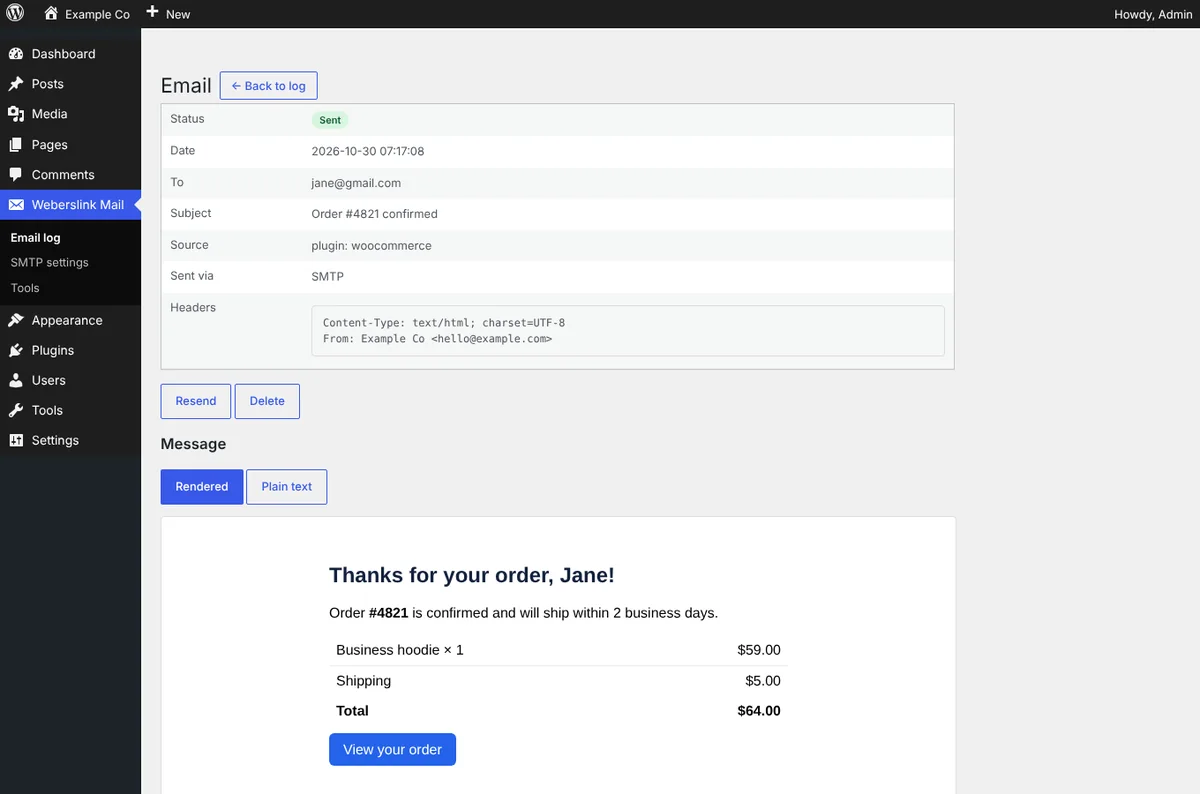
- Searchable email log: recipient, subject, status, the plugin or theme that sent it, number of attempts and date, with a sandboxed preview (no scripts, no remote images) and a plain-text view. CSV export.
- Privacy first: log everything, only recipients and subject, or nothing. Password-reset keys and tokens are redacted, old entries are deleted automatically, and your password is stored encrypted (or kept out of the database with a wp-config.php constant).
- Fix problems fast: resend any email, automatic retries for failures, a dashboard widget and warning banner, and Slack or Discord alerts, because a failed email cannot email you.
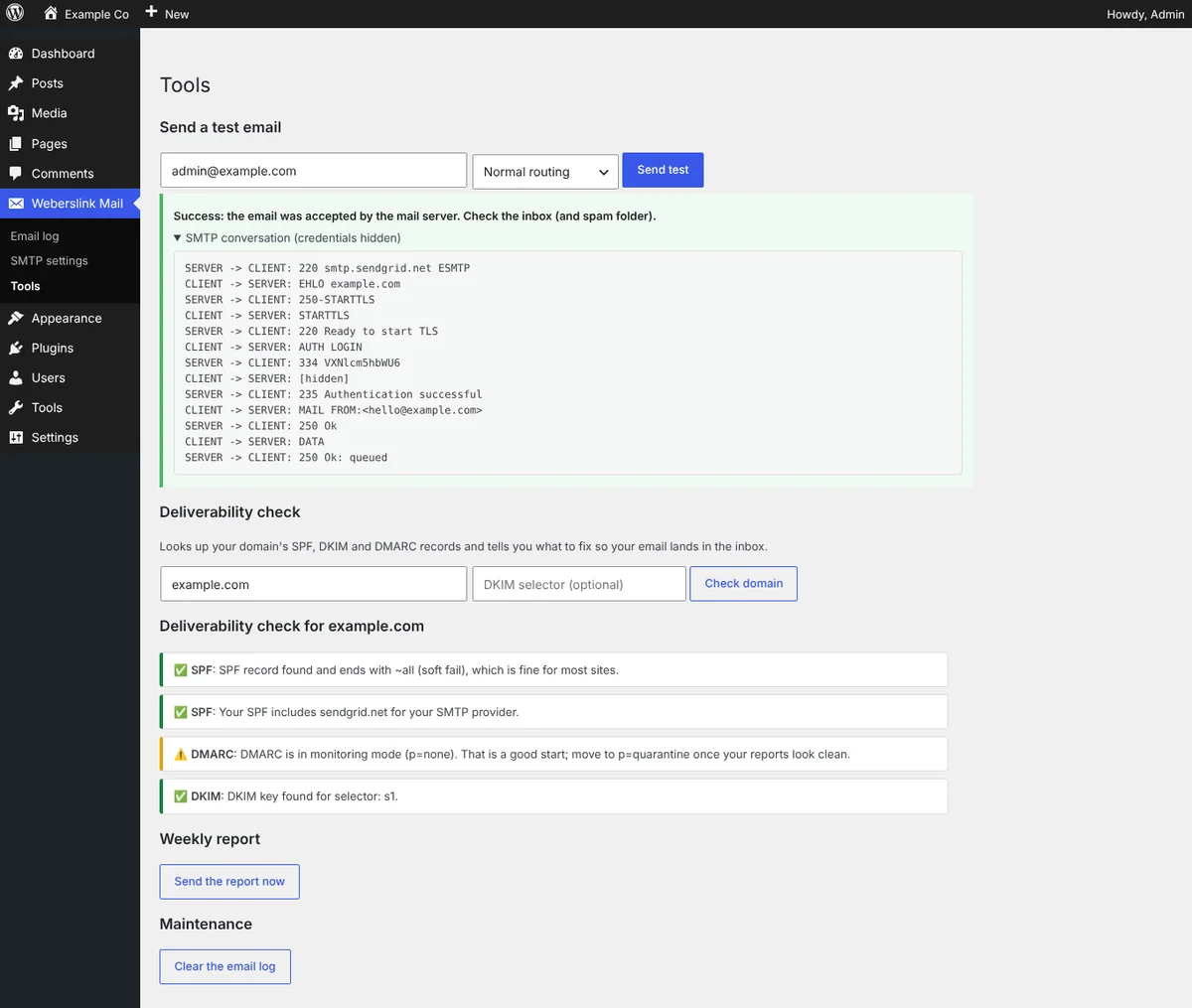
- Test tool: sends a real test message and shows the full SMTP conversation with your credentials hidden, so you can see exactly where a connection breaks.
- Deliverability check: looks up your domain's SPF (including the 10-lookup limit), DKIM and DMARC and explains what to fix in plain English.
See how it works, screen by screen
From connecting a provider to knowing every email arrived. Pick a step, or let it play. Click a screen to open it full size.
Install in 3 steps
- Download the ZIP above.
- In WordPress go to Plugins → Add New → Upload Plugin, choose the ZIP, install and activate.
- Open Weberslink Mail → SMTP settings, pick your provider, enter the details and save. Then run Tools → Send test.
Changelog
Version 1.1.0
- New: SendGrid, Brevo, Mailgun and Postmark API mailers (HTTPS) next to SMTP.
- New: backup connection with automatic failover.
- New: smart routing rules (plugin/theme, subject, recipient domain, From).
- New: opt-in open and click tracking with signed links.
- New: weekly email report and a 14-day chart in the email log.
- New: email controls to disable WordPress notification emails.
- New: test email can be sent via the primary or backup connection; WLSMTP_API_KEY constant.
- Fix: Cc, Bcc and Reply-To headers with several comma-separated addresses are parsed correctly.
Version 1.0.0
- Initial release: SMTP with provider presets, email log with preview, resend, retries, alerts, test tool and deliverability check.
Emails still not arriving, or need transactional email set up properly for a WooCommerce store? Book a free call and we'll sort it for you.