
Download ZIP Version 1.4.0 · 153 KB · WordPress 5.8+ · PHP 7.4+ · GPL-2.0-or-later
What's new in v1.4.0
- Live appointment slots with calendar invites
- Entry workflow stages & assignment
- Excel export & branded emails
- REST API with keys
- Auto-retry for failed webhooks
What's inside
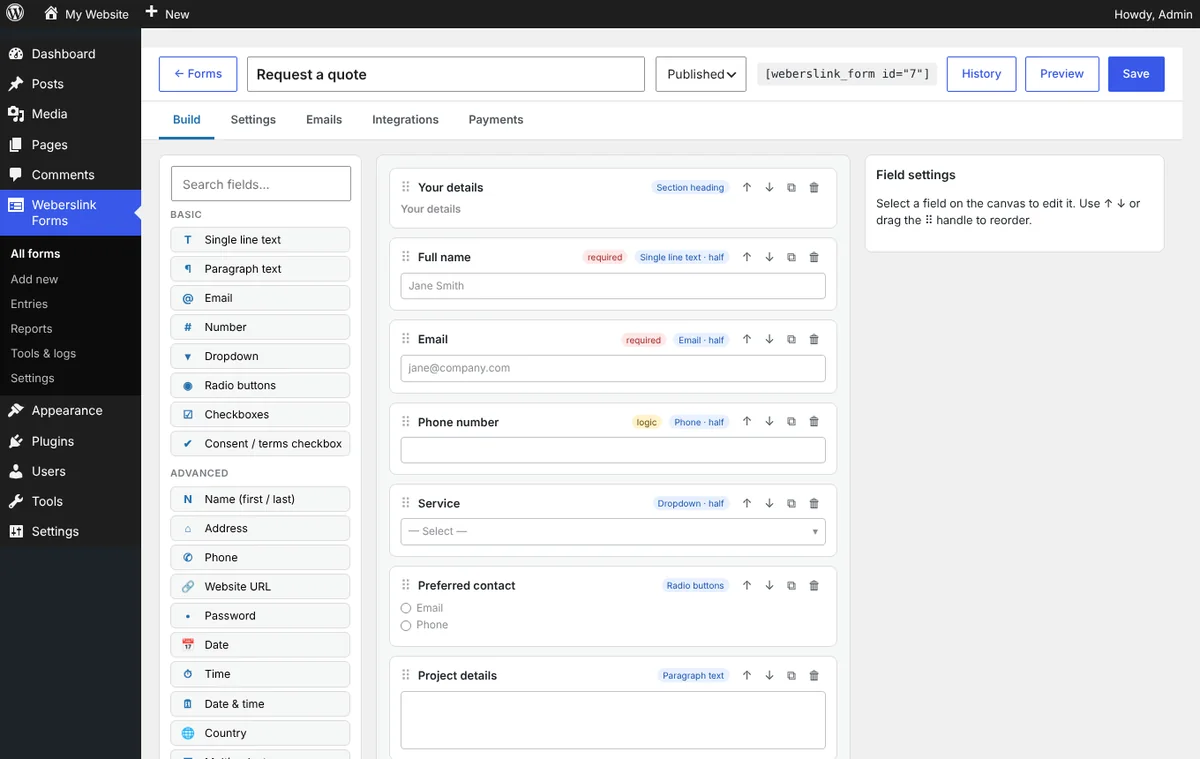
- Visual builder: drag & drop, 50 field types (text, choice, image choice, ranking, date range, file & image upload, signature, repeater, rating, NPS, calculation, dynamic dropdowns, embeds), 35+ templates, version history with one-click restore.
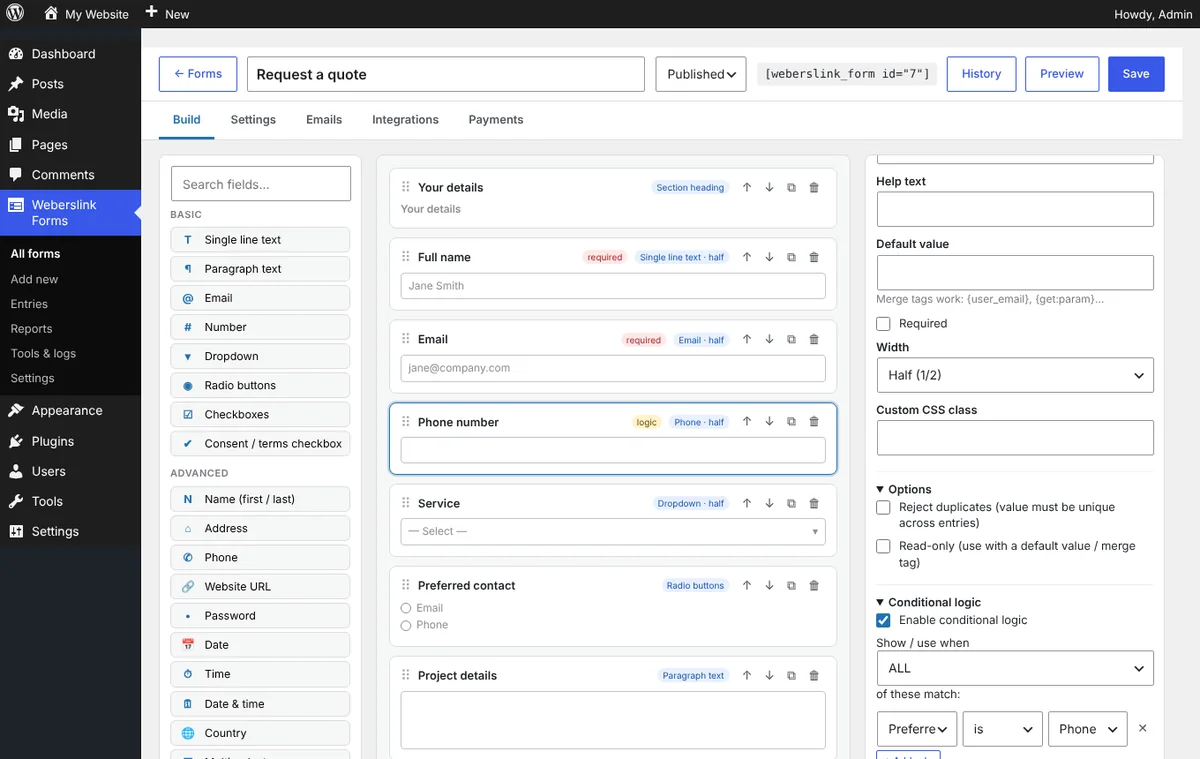
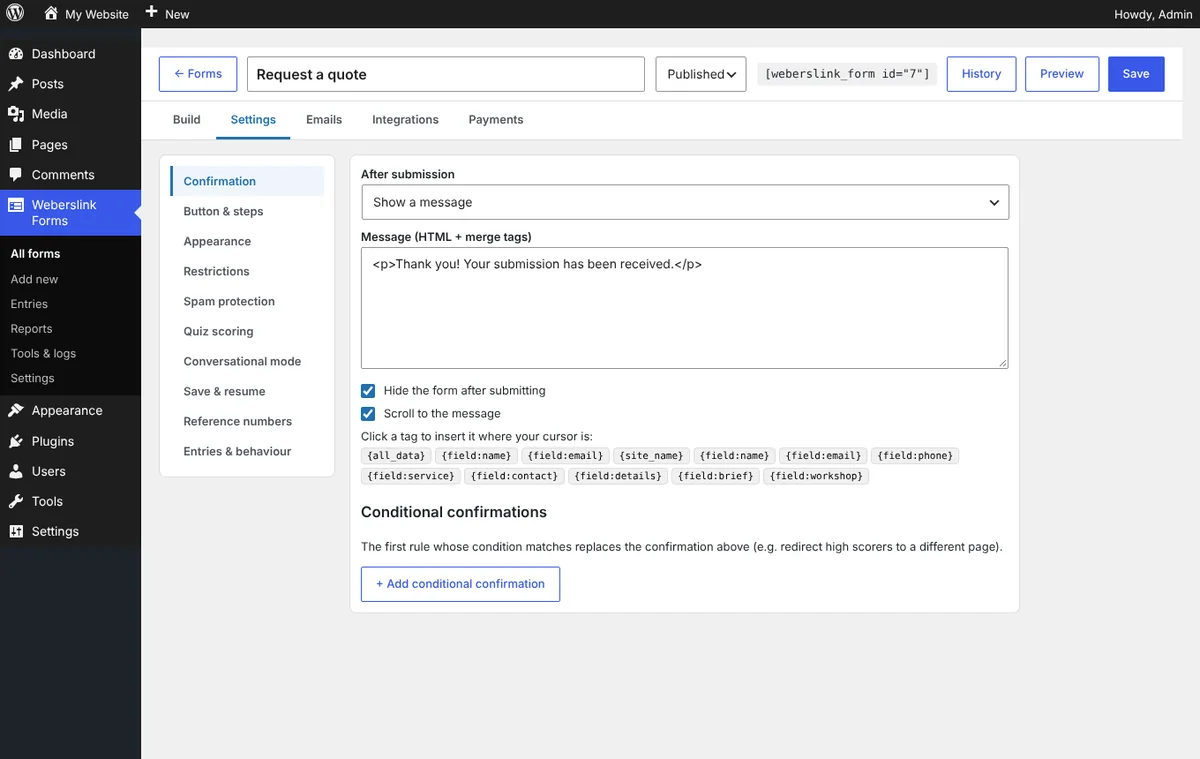
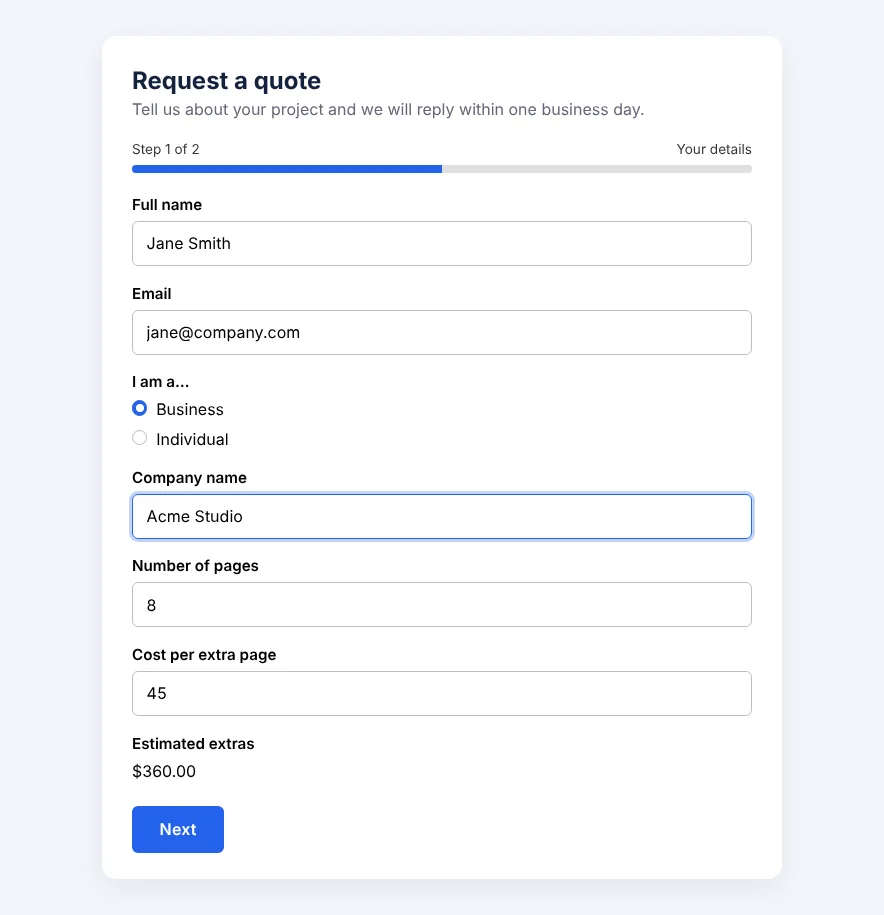
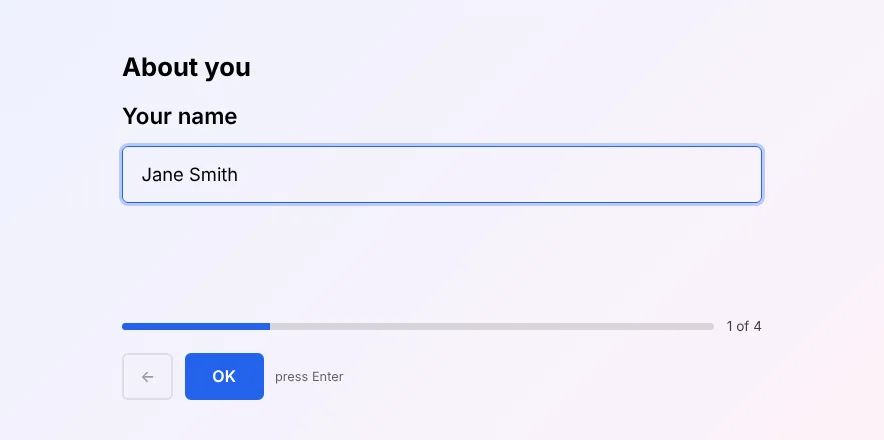
- Smart forms: conditional logic, multi-step with progress, conversational one-question-at-a-time mode, calculations, quizzes with scoring, conditional confirmations, save & resume by email.
- Works with every theme: inherits your fonts and colours, readable on light and dark backgrounds, RTL ready. Shortcode, Gutenberg block, widget and Elementor widget.
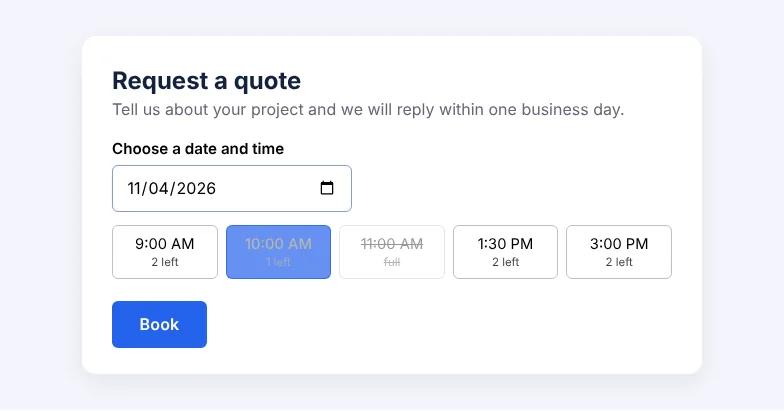
- Bookings: appointment-slot field with live availability, per-slot capacity, closed days, blocked dates, notice period and .ics calendar invites; per-option seat and stock limits.
- Entries & team workflow: custom stages (New → In progress → Done), assign entries to teammates with an email alert, search, filter, notes, edit, reply by email, PDF download, Excel and CSV export, answer-breakdown reports with NPS, conversion tracking.
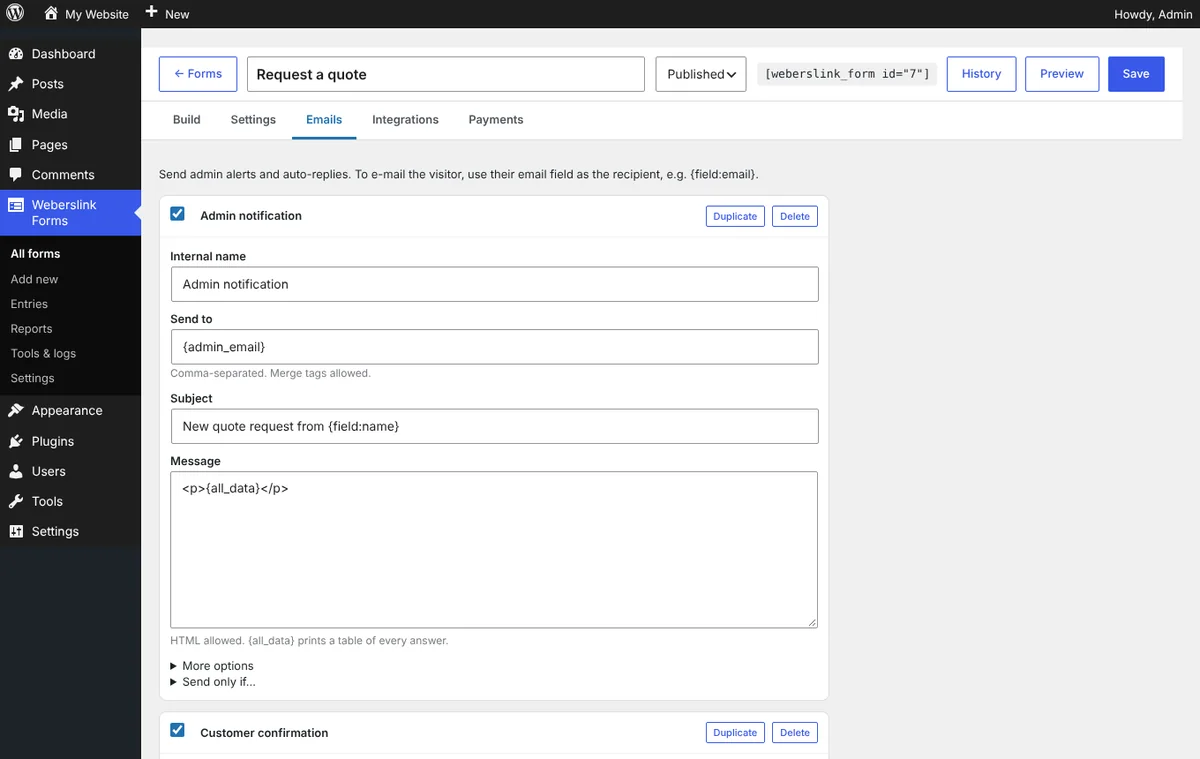
- Emails: unlimited notifications and auto-responders with merge tags, a branded layout with your logo and colours, PDF, calendar or file attachments, delayed follow-ups and reference numbers.
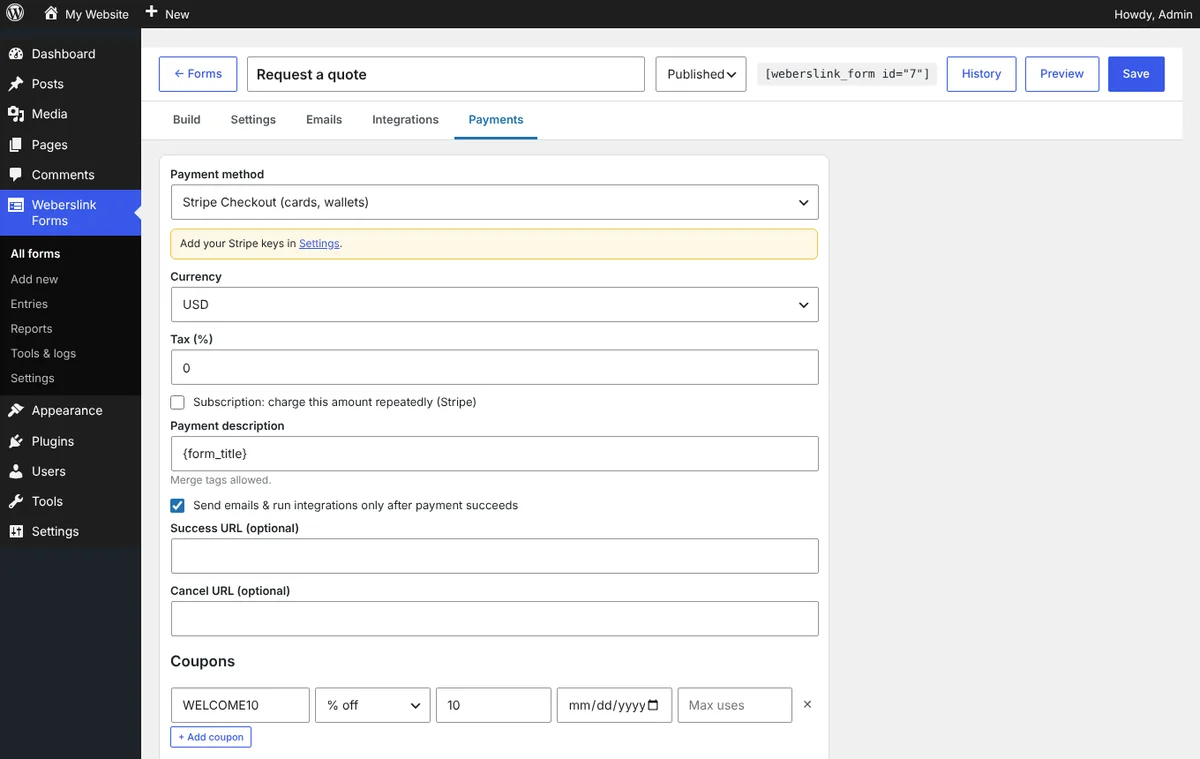
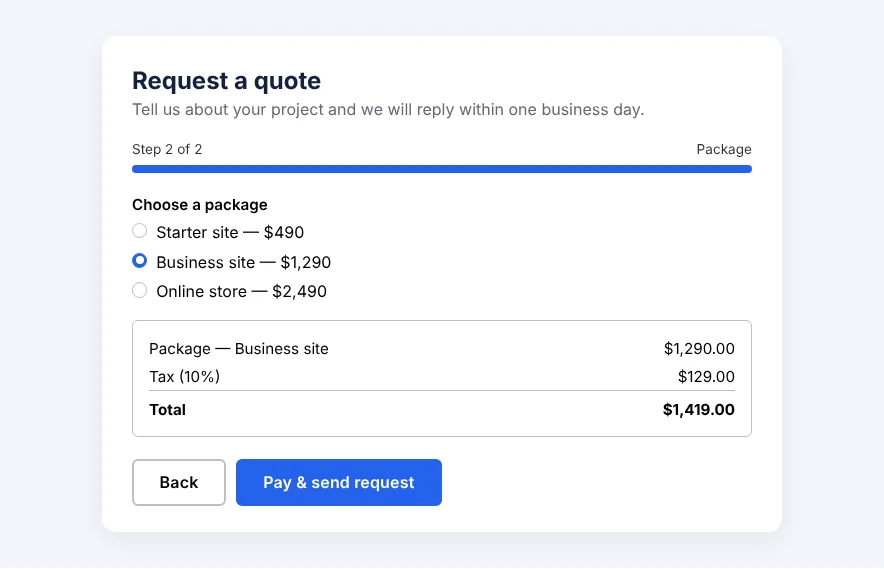
- Payments: Stripe Checkout (one-time and subscriptions), PayPal, offline; products, quantities, coupons, tax, per-option seat or stock limits.
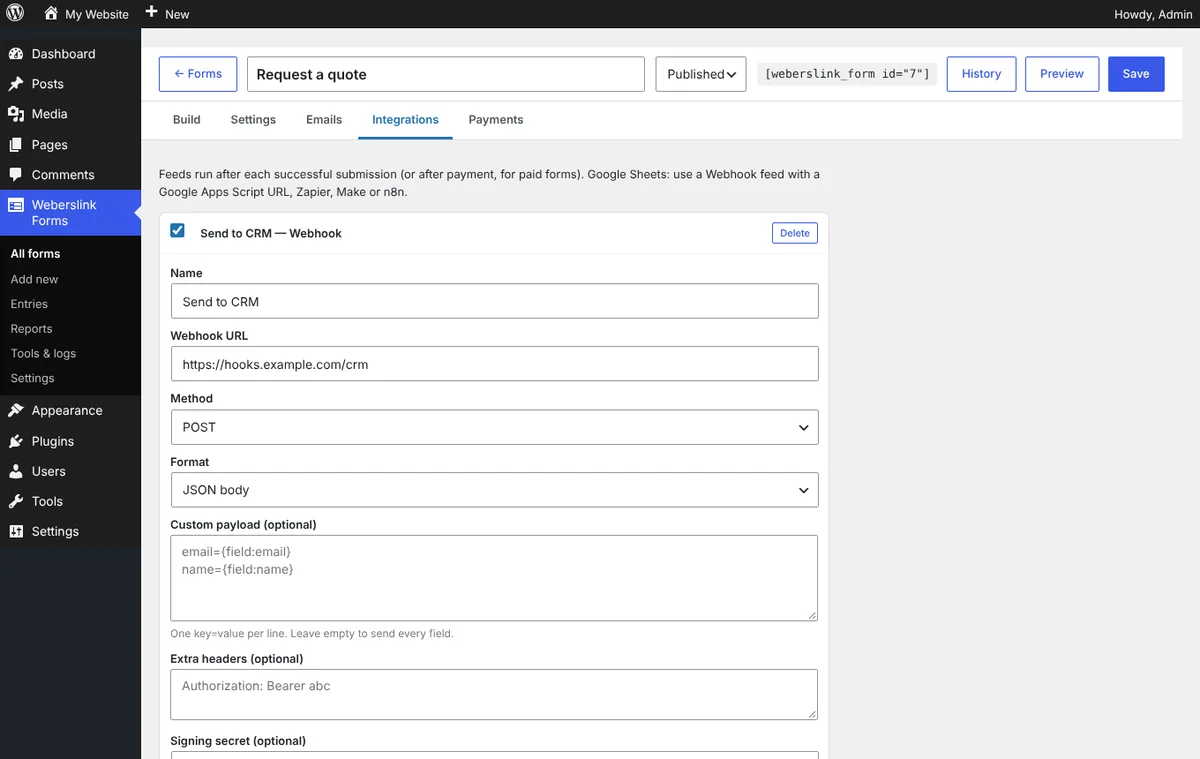
- Integrations & API: signed webhooks with automatic retries (Zapier, Make, n8n, Google Sheets via Apps Script), Slack, Discord, Teams, Telegram, Mailchimp, create WordPress users or posts, plus a read-only REST API with API keys.
- Spam & privacy: honeypot, time trap, rate limits, Akismet, reCAPTCHA, hCaptcha, Turnstile; IP anonymising, auto-delete, GDPR export and erase.
See how it works, screen by screen
From a blank form to money and entries in your inbox. Pick a step, or let it play. Click a screen to open it full size.

Install in 3 steps
- Download the ZIP above.
- In WordPress go to Plugins → Add New → Upload Plugin, choose the ZIP, install and activate.
- Open Weberslink Forms → Add new, pick a template, then embed it with
[weberslink_form id="1"].
Changelog
Version 1.4.0
- New: appointment slot picker with per-slot capacity, closed weekdays, blocked dates, minimum notice and booking window; availability is enforced on the server. Optional .ics calendar invite attached to emails.
- New: entry workflow stages and assignment (email alert to the assignee, stage filters, bulk actions, stage on exports and the API).
- New: Excel (.xlsx) export alongside CSV.
- New: branded HTML email layout (logo, header colour, footer) with a per-notification switch.
- New: automatic retries for failed webhook, Slack, Discord, Teams, Telegram and Mailchimp feeds.
- New: read-only REST API with API keys (Settings → REST API).
- New templates: Appointment booking (live slots).
Version 1.3.0
- New: save & resume by email link (drafts expire automatically).
- New: per-option limits (seats/stock) enforced on the server, with sold-out / seats-left labels.
- New: PDF export of any entry, optional PDF attachment on notification emails.
- New: delayed notifications (minutes, hours, days) for follow-ups and reminders.
- New: reference numbers with {reference} merge tag.
- New: form version history (last 25 saves) with one-click restore in the builder.
- New: answer breakdown report per form (choice, rating, NPS with score).
- New: webhook signing secret (HMAC-SHA256), Stripe subscriptions (recurring billing).
- New template: event registration with limited seats.
Version 1.2.0
- New: conversational (one-question-at-a-time) mode with welcome screen, progress, keyboard navigation, auto-advance and a ready-made template.
Version 1.1.0
- New fields: toggle, image choice, ranking, date range, emoji rating, terms (scroll-to-agree), US state, dynamic dropdown from posts/terms, image block, video/oEmbed embed.
- New field options: duplicate (unique) check, read-only, confirm email / password, max words.
- Quiz scoring: per-option scores with {score}, {score_max}, {score_percent}, {quiz_result} tags and pass mark.
- Conditional confirmations (different message or redirect depending on answers).
- Create post / page / custom post type feed.
- Entries: reply to the submitter by email from the entry screen, re-run integrations on an entry.
- Shortcodes: [weberslink_my_entries] (a logged-in user's own submissions) and [weberslink_entry_count] (live counter, e.g. "12 of 50 seats taken").
- New templates: scored quiz, hotel/rental booking request, priorities survey.
Need a custom form setup, payments wired up or a site built around it? Book a free call and we'll sort it for you.